Article content

Denis Kryukov
9 min read
For businesses, an IP scrambler is less about simple IP masking and more about controlled IP rotation. In this article, we’ll explain what an IP scrambler is, how IP rotation works, how proxies compare to VPNs and Tor, and how to choose the right proxy setup for different business workflows.
What Is an IP Scrambler?
An IP scrambler is a common, informal name for a tool that changes the IP address visible to websites, apps, or online services. The term can sound technical, but in most cases, the IP address is not literally “scrambled” or rewritten. Instead, the user’s traffic is routed through another server, device, or network endpoint, so the destination website sees a different IP address than the original one.

This is usually done through technologies such as proxies, VPNs, Tor, or rotating proxy networks. Each option works differently, but the basic idea is similar: the user sends a request through an intermediary, and that intermediary forwards the request using its own IP address. As a result, the website receives traffic from the intermediary IP rather than directly from the user’s device or company network.
This is where the term IP scrambler overlaps with IP rotation. A rotating proxy setup can automatically change the visible IP address per request, after a set time interval, or at the start of a new session. In practice, this gives businesses more control than a generic “scrambler”: they can choose the proxy type, location, rotation frequency, and session behavior based on the workflow.
How IP Scrambling Actually Works
Let’s break it down into a typical request flow:
1. A user or application sends a request
Every time a browser, web crawler, scraper, app, or software tool connects to a website, it sends a request. That request includes network-level information that allows the destination server to respond, including the source IP address. Without an IP address, the website would not know where to send the response.
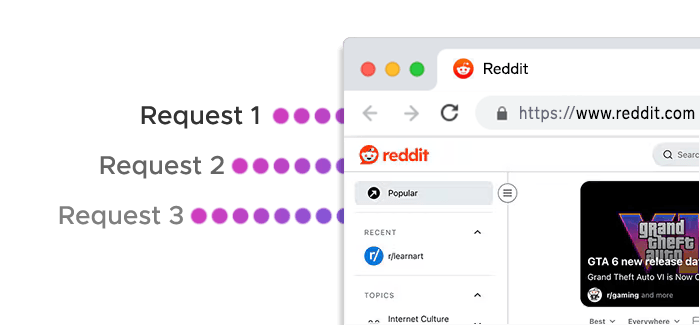
In a direct connection, the website sees the user’s real public IP address. For a business running automated workflows, this means all requests may come from the same IP or a small set of company network IPs.
2. The request passes through an intermediary
With an IP scrambling setup, the request is not sent directly to the destination website. Instead, it first goes through an intermediary server or endpoint. This may be a datacenter proxy, residential proxy, mobile proxy, VPN server, or another routing layer.
The intermediary receives the request, forwards it via HTTP/HTTPS or SOCKS5 protocols to the destination website, and then sends the response back to the original user or application. From the website’s perspective, the request comes from the intermediary – not from the original device.
3. The website sees the proxy IP
Providing elite anonymity, the proxy acts as the visible endpoint, the website receives the request from the proxy’s IP address. This is the core mechanism behind most tools described as IP scramblers: they do not change the user’s actual IP address, but they change the IP address exposed to the destination website.
For example, if a company in Germany routes a request through a residential proxy in Spain, the website may see the request as coming from a Spanish residential IP. If the same company routes traffic through a datacenter proxy in the United States, the website may see a US-based datacenter IP instead.
4. Rotation changes the visible IP over time
In more advanced setups, the visible IP address can change automatically. This is known as IP rotation. A rotating proxy network can assign a new IP address based on different rules, such as:
- rotating the IP after every request;
- rotating after a set time interval;
- using sticky sessions to keep the same IP active for multi-step workflows;
- changing IPs when a session ends;
- leveraging precise geo-targeting to select IPs from a specific country, city, ASN, or ISP.
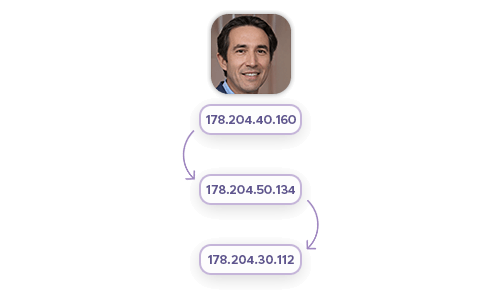
This is where IP “scrambling” becomes more precise and useful for business workflows. Instead of relying on random IP changes, teams can define how often IPs rotate, where those IPs should be located, and whether a session should remain stable for several minutes.
IP Scrambler vs VPN vs Proxy vs Tor
| Tool | How it works | Best for | Main limitations |
|---|---|---|---|
| IP scrambler | A general term for tools that change or mask the visible IP address. In practice, this usually means using a proxy, VPN, or another routing layer. | Entry-level searches around hiding or changing an IP address. | Not a precise technical category. The actual functionality depends on the tool behind it. |
| VPN | Routes internet traffic through a VPN server, replacing the user’s visible IP with the VPN server’s IP. | Personal privacy, secure browsing on public networks, simple location masking, and accessing region-specific content. | Usually less flexible for business workflows that require per-request rotation, city-level targeting, session control, or large-scale automation. |
| Proxy | Routes selected traffic through an intermediary IP address. Depending on the setup, proxies can be residential, datacenter, static ISP, IPv6, or mobile. | Web scraping, SEO monitoring, price intelligence, ad verification, localization testing, and other business workflows that need controlled IP routing. | Requires the right proxy type, rotation settings, and session strategy. Poor-quality proxy pools can cause unstable performance. |
| Rotating proxy network | Automatically changes the visible IP address based on predefined rules, such as per request, per time interval, or per session. | Large-scale public web data collection, distributed crawling, market monitoring, and workflows that need many IPs across different locations. | Needs careful configuration. Over-rotation can break sessions, while under-rotation can reduce reliability for high-volume workflows. |
| Static proxy | Keeps the same IP address for a longer period instead of rotating frequently. This can include dedicated datacenter or static ISP proxies. | Account-based workflows, QA testing, dashboards, multi-step sessions, and tasks that need IP consistency. | Less suitable for workflows where every request needs a fresh IP. |
| Tor | Routes traffic through a decentralized volunteer network with multiple relays before reaching the destination. | High-anonymity browsing and privacy-focused personal use. | Slower, less predictable, and generally unsuitable for business web data collection, automation, or performance-sensitive workflows. |
Why Businesses Use IP Rotation
IP rotation gives teams more flexibility when collecting data, testing digital experiences, or monitoring how content appears in different markets:
Public Web Data Collection
One of the most common business use cases for IP rotation is public web data collection. E-commerce, travel, real estate, finance, and SEO teams often need to gather information from many pages, categories, regions, or search results. Sending all requests from a single IP can trigger anti-bot systems and CAPTCHAs, creating reliability issues, especially when the volume grows.
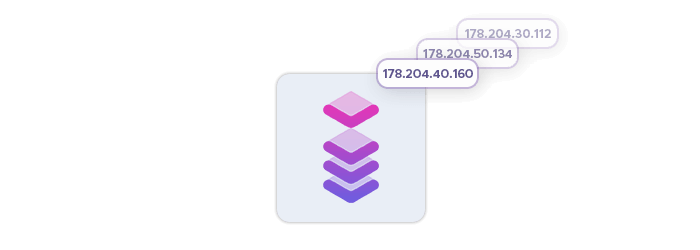
With rotating proxies, requests can be distributed across a massive, global proxy pool. This enables high concurrency, making large-scale data collection more stable and allows teams to build workflows for price monitoring, product availability tracking, market research, and competitor analysis – avoiding IP bans and rate limits without depending on one network endpoint.
Geo-Specific Research
Many websites show different content depending on where the visitor appears to be located. Prices, currencies, product availability, shipping options, ads, search results, and landing pages can all change from one country or city to another.
IP rotation makes it possible to view the web from multiple geographic perspectives. A travel company may need to compare hotel prices across regions. A retailer may want to check how product listings appear in different markets. An SEO team may need to monitor search results from several countries. In these cases, location-aware proxy infrastructure provides more accurate data than a single office or cloud IP.
Price Intelligence and Market Monitoring
For pricing teams, IP rotation supports more complete market visibility. Product prices and availability can vary by region, platform, device type, or user location. If a company only checks prices from one IP address, it may miss regional differences or receive results that do not reflect what customers actually see.
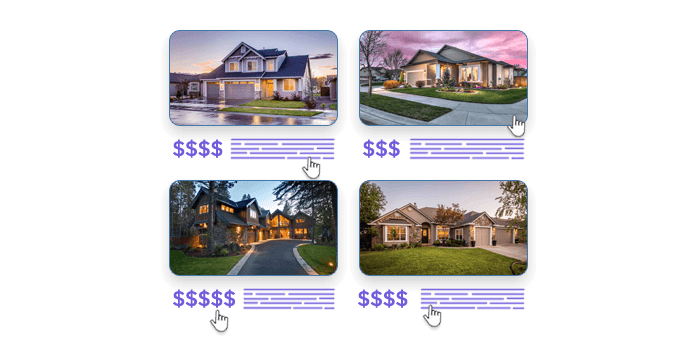
Rotating proxies help teams collect pricing data across multiple locations and platforms more consistently. This is especially useful for e-commerce, travel, marketplaces, and retail businesses that rely on fresh competitive data to inform pricing, assortment, and promotion decisions.
Ad Verification
Advertisers and agencies often need to confirm that ads are displayed correctly in the intended locations. This includes checking whether ads appear in the right markets, whether landing pages load properly, and whether campaigns are visible to the target audience.
With IP rotation, ad verification teams can test campaigns from different countries, cities, ISPs, or mobile networks. Mobile proxies can be especially useful when the campaign is designed for mobile users, while residential proxies can help verify how ads appear from consumer-like network environments.
SEO and SERP Tracking
Search results are not the same everywhere. A keyword may return different rankings depending on the country, city, language, device, or search environment. For SEO teams and data providers, this makes IP location an important part of accurate SERP monitoring.
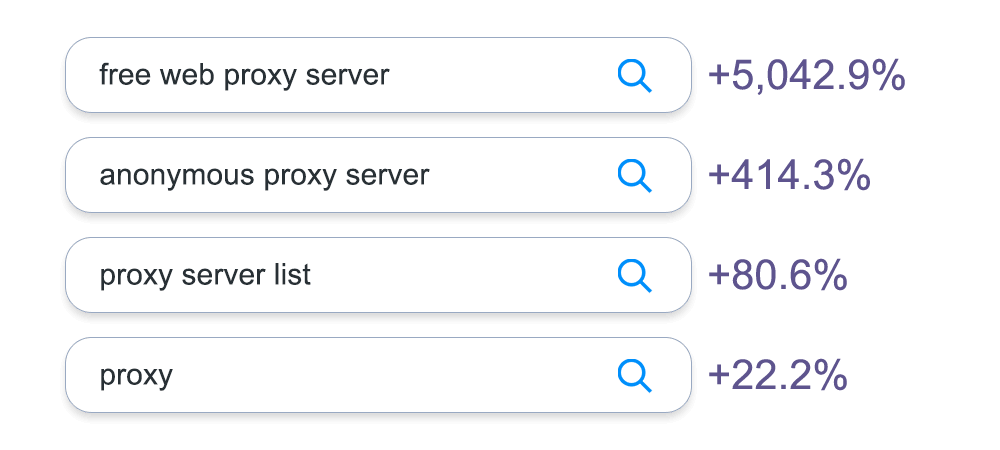
IP rotation allows teams to collect search data from different regions without relying on one static location. This helps SEO platforms, agencies, and in-house teams monitor rankings, analyze competitors, track paid placements, and understand how search visibility changes across markets.
Types of Proxies Used for IP Rotation
| Proxy type | How it works | Best for | Main strengths | Main limitations |
|---|---|---|---|---|
| Residential proxies | Route traffic through IPs associated with real consumer internet connections. Can be rotated by request, by interval, or by session. | Public web data collection, price monitoring, market research, SEO tracking, ad verification, and geo-specific access. | Broad geo coverage, diverse IP pool, realistic network profile, and useful for location-sensitive workflows. | Typically more expensive than datacenter proxies and not always necessary for simpler, high-speed tasks. |
| Datacenter proxies | Route traffic through server-based IPs hosted in datacenters rather than residential networks. Available as shared or dedicated proxies. | High-volume automation, performance-sensitive tasks, internal tools, and workflows where speed matters more than residential context. | Fast, scalable, and usually more cost-efficient; good for high-throughput workloads. | Less suitable when the workflow depends on residential or consumer-like IP context. | Static ISP proxies | Use stable IPs associated with ISP ranges, designed for longer-lived sessions rather than frequent rotation. | Account-based workflows, dashboards, QA testing, multi-step browsing flows, and session-sensitive tasks. | Combine IP stability with an ISP-linked profile; good when continuity matters. | Not ideal for workflows that need a fresh IP on every request. |
| Residential IPv6 proxies | Use residential proxy IPs delivered over IPv6 rather than IPv4. | IPv6 compatibility testing, future-ready web data collection, and environments where IPv6 support matters. | Large address space and useful for workflows that need IPv6 coverage. | Not every target environment or workflow requires IPv6, so it can be overly specialized for some teams. |
| Mobile proxies | Route traffic through IPs assigned by mobile carriers. | Mobile ad verification, app testing, mobile SEO checks, localization testing, and mobile-specific market research. | Useful for seeing the web from a genuine mobile-network perspective. | Usually more specialized and not the default choice for every data collection workflow. |
Frequently Asked Questions
An IP scrambler is an informal term for a tool that changes the IP address visible to websites. In practice, this usually means routing traffic through a proxy, VPN, or similar intermediary network.
Not exactly. “IP scrambler” is a broad term, while a proxy is a specific technology. Proxies route traffic through another IP address and can support rotation, geo-targeting, and session control.
IP rotation changes the visible IP address automatically based on predefined rules. A proxy network can rotate IPs after every request, after a time interval, or when a new session starts.
It depends on the workflow. Residential proxies are useful for broad geo coverage, datacenter proxies for speed, static ISP proxies for stable sessions, and mobile proxies for mobile-specific testing or verification.
Yes, but businesses usually rely on proxy-based IP rotation rather than generic IP scramblers. Proxies help distribute public web data requests across different IPs, locations, and session types more reliably.