Article content

Jan Wiśniewski
9 min read
Data servers are the foundation behind the modern data pipeline. But storage is only one part of the equation – businesses also need reliable ways to collect, process, and update the data that feeds those systems. In this article, we’ll explain what a data server is, how it works, where it fits in an ETL pipeline, and why real-time data collection matters for teams that depend on external web data.
What Is a Data Server?
A data server is a system that stores, manages, and delivers data to other systems, applications, or users. In simple terms, it acts as a central place where data is kept and made available when it is needed – whether that data is used by a website, analytics dashboard, business application, internal tool, or data pipeline.
In some cases, a data server is a dedicated physical machine running a database. In others, it is a cloud-based service, a data warehouse, a file storage system, or a distributed platform designed to handle large volumes of information. What matters is not the form factor, but the role it plays: receiving data, organizing it, protecting it, and making it accessible.

For example, an e-commerce company might use a data server to store product prices, inventory changes, customer records, and competitor pricing data. A travel platform might use one to manage hotel rates, flight availability, location-based offers, and historical pricing trends. Finally, a market research team might use a data server to store collected public web data before analyzing it in a business intelligence tool or internal dashboard.
How Data Servers Work
A data server works by receiving data from different sources, storing it in an organized format, and making it available in the data pipelines that need it. In a data pipeline, it sits between the data source and the tools that use the data – such as applications, dashboards, analytics platforms, APIs, or internal reporting systems.
The process usually starts with data ingestion. Data may come from user activity, business applications, connected databases, third-party APIs, public web sources, sensors, logs, or automated collection tools. Once the data reaches the server, it is stored in a format that matches the company’s needs: structured database tables, files, objects, event streams, or warehouse-ready datasets.

After data ingestion, the data server manages how that information is organized and accessed. It may index records for faster cloud-based queries, apply permissions, create backups, synchronize data across systems, or support multiple users and applications at the same time. For example, when an analytics dashboard requests real-time data on pricing, the server retrieves the relevant records and sends them back in a usable format.
In a typical data pipeline, the data also goes through a processing stage before or after storage. Raw data may need to be cleaned, normalized, enriched, deduplicated, or converted into a different format. This is especially common when the data comes from external sources: product pages, hotel listings, search results, job boards, reviews, or other public web pages often need to be transformed before they can be used reliably.
Data server workflow
A simplified data pipeline looks like this:
- Data is collected or generated from internal systems, APIs, public web sources, or user activity.
- The data is sent to the server through an application, integration, ETL pipeline, or collection tool.
- The server stores and organizes it using databases, warehouses, file systems, or cloud storage.
- Applications and teams access the data through queries, APIs, dashboards, reports, or automated workflows.
- The data is monitored and updated to keep business systems accurate and useful.
Common Types of Data Servers
| Type of data server | What it does | Common use cases | Example data handled |
|---|---|---|---|
| Database server | Stores and manages structured data in databases, making it available through queries. | Business applications, customer records, product catalogs, inventory systems, transactional workflows. | Customer profiles, product IDs, order records, prices, stock levels, account data. |
| File server | Stores and shares files across users, applications, or internal systems. | Document storage, shared team folders, exported reports, media libraries, backup workflows. | CSV files, spreadsheets, PDFs, images, reports, archived datasets. |
| Data warehouse server | Stores large volumes of structured data optimized for analytics and reporting. | Business intelligence, performance reporting, historical analysis, forecasting, executive dashboards. | Sales history, pricing trends, market data, customer behavior, aggregated business metrics. |
| Data lake server | Stores raw or semi-structured data at scale before it is cleaned, transformed, or analyzed. | Big data workflows, machine learning, research projects, raw data archiving, flexible analytics. | Raw HTML, JSON responses, logs, images, clickstream data, scraped web data. |
| Application data server | Provides data to software applications and supports the logic behind user-facing or internal tools. | SaaS platforms, internal dashboards, CRM systems, pricing tools, operational software. | User activity, permissions, product data, settings, workflow status, application records. |
| API server | Delivers data or services through API endpoints, allowing systems to exchange information programmatically. | System integrations, mobile apps, partner data access, automated workflows, internal tools. | JSON responses, product feeds, search results, user records, pricing data. |
| Streaming data server | Handles continuous real-time data and delivers events. | Monitoring systems, fraud detection, live analytics, IoT workflows, real-time pricing or availability updates. | Logs, events, transactions, sensor data, status changes, live market signals. |
| Cloud storage server | Stores data in cloud-based infrastructure, often with scalable capacity and flexible access controls. | Dataset storage, backups, distributed teams, data pipelines, long-term archives. | Structured datasets, raw files, exports, backups, reports, web data archives. |
Where Data Servers Fit in a Data Pipeline
A data server is usually one part of a larger data pipeline. It is the place where information is stored, organized, and made available – but before data reaches the server, it has to be collected, validated, and prepared for use. After it is stored, it is usually accessed by analytics tools, dashboards, applications, or internal systems.
A simplified data pipeline looks like this:
💡
Data source → Data collection → Data processing → Data server/storage → Analytics or application layer
In this cloud-based workflow, the data server sits near the middle of the process. It acts as the central storage and access layer that connects raw data inputs with business outputs. For example, a pricing team may collect product data from public e-commerce pages, clean and standardize the records, store them on a data server, and then use that data in a dashboard to monitor market changes.
Data sources
The pipeline starts with data sources. These can include internal systems, customer interactions, application logs, third-party API endpoints, public websites, search results, product pages, travel platforms, job boards, review sites, or other external data sources.
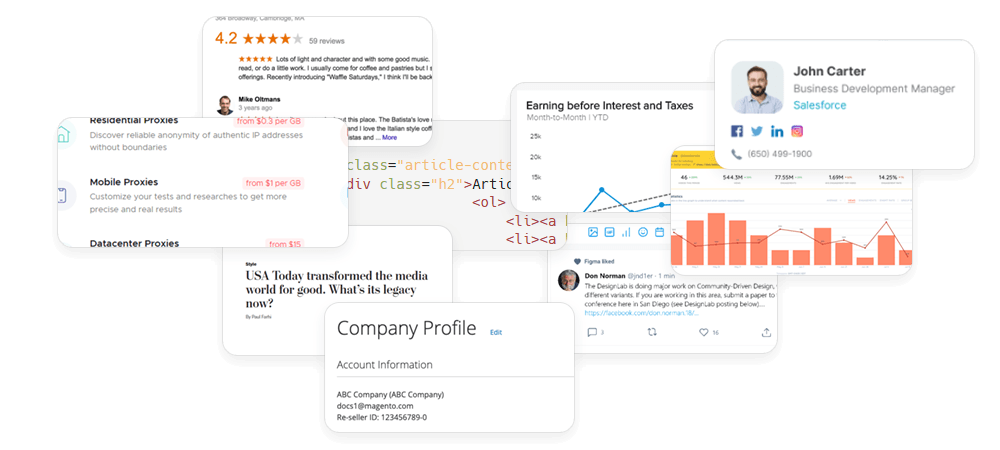
For many businesses, external web data is especially valuable because it reflects what is happening in the market outside their own systems. E-commerce teams track competitor prices and product availability. Travel companies monitor hotel rates and regional offers. SEO teams collect search results. Market research teams analyze public listings, reviews, and category trends.
Data collection
Once the sources are defined, the next step is collecting the data. This is where many pipelines become more complex. Public websites may use JavaScript to load content, display different results depending on location, change their page layouts, or return incomplete data when collection infrastructure is unreliable.
This matters because a data server can only store what it receives. If the collection layer delivers inconsistent records, missing fields, outdated pages, or unstructured HTML that cannot be processed properly, the rest of the ETL pipeline becomes less reliable.
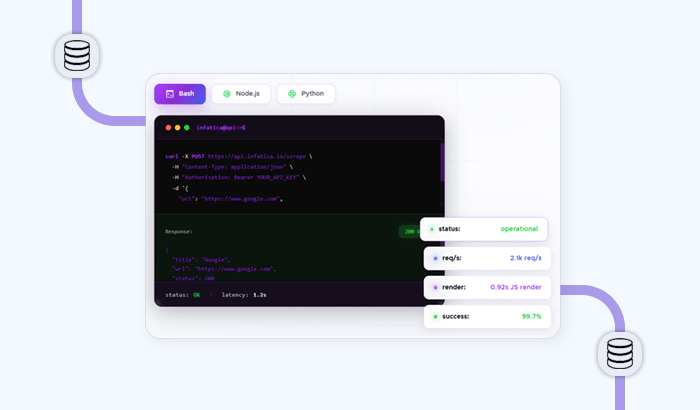
For teams that rely on public web data, Infatica’s Web Scraper API can support this part of the workflow by handling the technical layer of web data collection. Instead of building and maintaining proxy management, browser rendering, retries, and extraction logic in-house, teams can use an API endpoint to collect structured data and send it into their storage, analytics, or reporting systems.
Data processing
After data is collected, it often needs to be processed before storage or analysis. Raw data may be cleaned, deduplicated, normalized, enriched, categorized, or converted into a consistent format.
For example, product prices collected from different websites may need currency normalization. Hotel listings may need location fields standardized. Search results may need to be grouped by keyword, country, device type, or timestamp. This processing step helps ensure that data stored on the server is not just available, but useful.
Data server or storage layer
The processed data is then sent to the data server or storage layer. Depending on the workflow, this may be a database, data warehouse, data lake, cloud storage environment, file server, or a combination of several systems.
This layer gives teams a central place to store current and historical data. It also makes the data easier to query, share, secure, back up, and connect to downstream tools. A well-structured data warehouse or data lake can support reporting, automation, product features, machine learning workflows, and long-term trend analysis.
Analytics and application layer
Finally, data is used by the systems and teams that need it. Analysts may explore the data in business intelligence tools. Pricing teams may use it in competitive intelligence dashboards. Product teams may feed it into internal applications. Data-as-a-service companies may package it into datasets or API integration for their own clients.
At this stage, the quality of the original collection process becomes visible. With structured data, the server becomes a reliable foundation for decision-making. If the data is fragmented or inaccurate, even the best analytics tools will struggle to produce useful results.
This is why data warehouses should not be viewed in isolation. They are the backbone of storage and access, but they depend on the systems around them. For businesses that rely on external web data, a reliable collection layer is just as important as the server itself. Infatica’s Web Scraper API helps bridge that gap by turning public web sources into structured data that can flow into databases, warehouses, dashboards, and business applications.
Data Server Use Cases Across Industries
| Industry or use case | Data stored on the server | Why fresh external data matters |
|---|---|---|
| E-commerce price intelligence | Product prices, stock availability, seller information, discounts, product descriptions, category rankings. | Retail prices and availability change frequently, so teams need up-to-date data to monitor competitors, adjust pricing strategies, and identify market shifts. |
| Travel and hospitality | Hotel rates, room availability, flight prices, regional offers, platform-specific pricing, location-based search results. | Travel prices can vary by platform, geography, demand, and timing. Fresh data helps companies compare offers, track dynamic pricing, and improve revenue or market analysis. |
| SEO and SERP tracking | Search results, rankings, featured snippets, ads, local packs, AI-generated search elements, keyword performance data. | Search results vary by country, language, device, and time. Storing fresh SERP data helps SEO teams track visibility, competitors, and ranking changes more accurately. |
| Market research | Product listings, reviews, public company data, category trends, consumer sentiment signals, pricing history. | Market conditions change constantly. Updated external data helps research teams identify new trends, measure demand, and support business decisions with real-world signals. |
| Brand protection | Marketplace listings, seller profiles, product descriptions, suspicious offers, pricing violations, unauthorized product pages. | Fresh data helps companies detect unauthorized sellers, counterfeit listings, misleading product information, or brand misuse before the issue spreads. |
| Recruitment and HR intelligence | Job postings, salary ranges, hiring trends, required skills, company openings, location-based vacancy data. | Hiring markets move quickly. Updated job market data helps teams understand demand for skills, benchmark salaries, and monitor competitor hiring activity. |
| Financial and investment research | Public company information, product availability, market signals, industry news, pricing data, alternative data indicators. | Investors and analysts often rely on timely external signals to understand company performance, consumer demand, and market movement beyond traditional reports. |
| Data-as-a-Service products | Cleaned datasets, raw source records, metadata, timestamps, historical snapshots, API-ready data feeds. | DaaS providers need reliable, regularly updated datasets. Fresh collection helps them maintain product quality and deliver accurate data to their own customers. |
| Cybersecurity and threat intelligence | Domain records, exposed assets, public indicators, suspicious URLs, marketplace activity, mentions of brands or assets. | Threat landscapes change quickly. Updated public data can help security teams monitor risks, investigate incidents, and detect new signals across external sources. |
| MAP compliance | Product prices, seller names, marketplace listings, regional price variations, promotional offers. | Minimum advertised price monitoring depends on timely data. Fresh records help brands identify pricing violations and document changes across channels. |
Frequently Asked Questions
A data server is a system that stores, manages, and delivers data to applications, users, or other systems. It can be a physical machine, cloud service, database environment, warehouse, or part of a larger data infrastructure.
Not exactly. A database server is one type of data server focused on storing and querying structured database records. A data server is a broader term that can also include warehouses, file servers, APIs, and data lakes.
Businesses use data lakes to centralize information, support applications, run analytics, store historical records, and share data across teams. They are commonly used in reporting, price intelligence, market research, automation, and internal business tools.
A data server usually sits between data collection and data usage. Data is collected, cleaned, and stored on the server, then accessed by dashboards, analytics platforms, applications, APIs, or automated workflows.
Web scraping collects external data from public web sources, while data servers store and organize that information for later use. A Web Scraper API can help feed structured, ready-to-use data into databases, warehouses, and dashboards.