Main > Blog > The 12 Best Web Scraping Tools in 2026: Tested by Use Case
The 12 Best Web Scraping Tools in 2026: Tested by Use Case
We tested 12 web scraping tools across e-commerce, SERP, social media, and AI training workflows. See pros, cons, pricing, and which tool wins for each use case.
A web scraping tool extracts structured data from websites automatically, replacing what would otherwise be hours of copy-paste with a script, API call, or no-code workflow. The right tool depends on your use case: developers building custom pipelines, analysts running one-off market research, and AI teams collecting training data all need different things. Here are the 12 best web scraping tools in 2026, grouped by use case.
How We Picked These Tools (Methodology)
We evaluated 30+ web scraping tools across four criteria:
Anti-bot reliability: how often it successfully scrapes major targets like Amazon, Google, and Instagram without manual intervention.
Pricing transparency: clear public pricing and a credible free tier.
Scalability: whether it handles 10 URLs or 10 million.
Ease of use for its target audience: a no-code tool is judged on UI, an API on docs and SDK quality.
The 12 tools below earned a slot because they're the best in their category. Pricing was verified at the time of writing; check each provider's site for current rates.
Quick Comparison Table
Tool
Type
Starting price
Free tier
Code required
Best for
ScraperAPI
API
$49/month
1,000 monthly credits; 5,000-credit trial
Yes
Drop-in API
Bright Data
Platform
PAYG from $1.50 per 1,000 records
5,000 shared monthly credits
Yes/No
Enterprise
Oxylabs
Platform
$49/month
Trial with up to 2,000 results
Yes
E-commerce and SERP APIs
Infatica
API
From $18/month
7-day trial with 5,000 successful requests
Yes
Production on a budget
Apify
Platform
$29/month
$5 in monthly usage
Optional
Pre-built scrapers
Octoparse
No-code app
$83/month, or $69/month billed annually
Free plan
No
Analysts
ParseHub
No-code app
$189/month
Free plan
No
Dynamic sites, no-code
Scrapy
Framework
Free (OSS)
Not applicable
Yes (Python)
Self-hosted scrapers
BeautifulSoup
Library
Free (OSS)
Not applicable
Yes (Python)
Beginner HTML parsing
Playwright
Browser automation
Free (OSS)
Not applicable
Yes
JavaScript-heavy sites and SPAs
Firecrawl
LLM-native API
$16/month billed annually
1,000 monthly credits
Yes
RAG and LLM pipelines
Web Scraper
Extension
$50/month billed annually for cloud
Free browser extension
No
One-off tasks
The 12 Best Web Scraping Tools in 2026
ScraperAPI: Best for developers who need a drop-in scraping API
ScraperAPI is a managed web scraping API that handles proxy rotation and browser rendering, best suited to developers who want reliable page retrieval without maintaining their own scraping infrastructure.
What it does: Developers send a target URL and API key to a single endpoint. ScraperAPI selects a proxy, retries failed requests, handles CAPTCHA challenges, and can render JavaScript before returning the page content. It also supports asynchronous requests, scheduled DataPipeline workflows, and structured endpoints for selected e-commerce, search, real estate, and AI platforms.
Key features:
Automatic proxy rotation, retries, CAPTCHA handling, and session support
JavaScript rendering with configurable browser instructions
Synchronous, asynchronous, and scheduled scraping workflows
HTML, JSON, CSV, text, and Markdown outputs, depending on the workflow
US and EU geotargeting on lower tiers, with global targeting on Business plans and above
Pros:
Straightforward integration through a single API endpoint
Documentation and examples for Python, Node.js, PHP, Ruby, and Java
Supports everything from individual requests to scheduled, large-volume jobs
Cons:
Custom extraction and parsing may still require code when a structured endpoint is unavailable
Global country-level geotargeting requires the Business plan, which starts at $299 per month
Plan allowances are measured in API credits, not page requests. JavaScript rendering and premium proxies use credit multipliers
Pricing: The Hobby plan starts at $49 per month and includes 100,000 API credits and 20 concurrent threads. ScraperAPI’s documentation also lists a free plan with 1,000 monthly credits, while new users can currently claim a 7-day trial with 5,000 credits and no credit card.
Best for: Developers and small engineering teams that already handle data extraction but want to outsource proxy management, retries, and browser rendering.
Bright Data: Best for large data teams that need ready-made datasets
Bright Data is a broad web data platform for enterprise teams that need managed scraping, browser automation, proxy infrastructure, and ready-made datasets from one provider.
What it does: Teams can use pre-built Scraper APIs to collect structured records from specific websites, build custom collectors in Scraper Studio, or connect Playwright, Puppeteer, and Selenium to its Browser API. Bright Data also provides pre-collected and customizable datasets that can be purchased once or refreshed on a schedule.
Key features:
More than 1,000 maintained, site-specific scrapers that return structured JSON or CSV
Automatic proxy management, CAPTCHA handling, browser rendering, and data validation
Bulk requests for up to 5,000 URLs, scheduled collection, and unlimited concurrency
Remote browser automation through Playwright, Puppeteer, and Selenium
Structured datasets in JSON, NDJSON, CSV, XLSX, and Parquet, with several cloud and direct-delivery options
Pros:
Covers scraping APIs, browser automation, proxy infrastructure, and datasets within one platform
Pre-built scrapers can reduce the extraction and parser maintenance required for supported websites
Provides API, no-code, and custom development workflows for different technical requirements
Cons:
The large product catalog and range of configuration options create a steeper learning curve than a single-purpose scraping API
Products use different billing units, including records, page loads, bandwidth, and proxy IPs, which can make cost comparisons difficult
The first discounted Web Scraper API plan costs $499 per month, so smaller teams may need to remain on pay-as-you-go pricing
Pricing: Bright Data provides 5,000 shared free credits per month for its Web Scraper API, Scraper Studio, Web Unlocker API, and SERP API, with no credit card required. Web Scraper API pay-as-you-go pricing starts at $1.50 per 1,000 successfully delivered records. The Scale plan costs $499 per month and includes 384,000 records. Browser API, proxy products, and datasets are priced separately.
Best for: Large data and engineering teams that want several collection methods under one provider, particularly teams that need maintained website scrapers or ready-made datasets.
Oxylabs: Best for large-scale e-commerce and SERP data collection
Oxylabs is an enterprise web data platform for teams that need localized e-commerce, search engine, and general web data at high volumes.
What it does: Developers submit a URL or choose a preconfigured target through the Oxylabs Web Scraper API. The service manages proxy rotation, CAPTCHA handling, JavaScript rendering, and parsing before returning raw HTML or structured JSON. Its infrastructure includes more than 177 million proxies across 195 countries.
Key features:
Preconfigured endpoints for Google, Amazon, other e-commerce platforms, and additional public websites
Automatic proxy rotation with location, language, and custom-header controls
JavaScript rendering and built-in CAPTCHA handling
Raw HTML responses and structured JSON through adaptive or custom parsers
Batch requests, recurring job scheduling, and cloud storage integrations
Pros:
Combines a large global proxy network with maintained, target-specific scraping endpoints
Supports both ready-to-use structured results and raw HTML for custom extraction
Includes 24/7 support and a dedicated account manager on regular paid plans
Cons:
The API-first workflow generally requires code and technical integration
The free option is a limited trial rather than a recurring free tier
Costs vary by target and whether JavaScript rendering is enabled. Media downloads are billed separately, and HTTP 4xx responses still count as successful, billable results
Pricing: The Micro plan starts at $49 per month and can provide up to 98,000 Amazon results without JavaScript rendering. On this plan, Amazon requests cost $0.50 per 1,000 results, Google requests cost $1 per 1,000 results, and other non-rendered requests cost $1.15 per 1,000 results. Rendered results cost $1.35 per 1,000. A free trial includes up to 2,000 results and does not require a credit card.
Best for: Large data and engineering teams that need high-volume, localized e-commerce or SERP data without maintaining their own proxy, browser-rendering, and parsing infrastructure.
Infatica Web Scraper API: Best for production scraping on a budget
Infatica Web Scraper API is a managed scraping service for developers who need integrated proxies, browser rendering, and structured page retrieval without maintaining their own collection infrastructure.
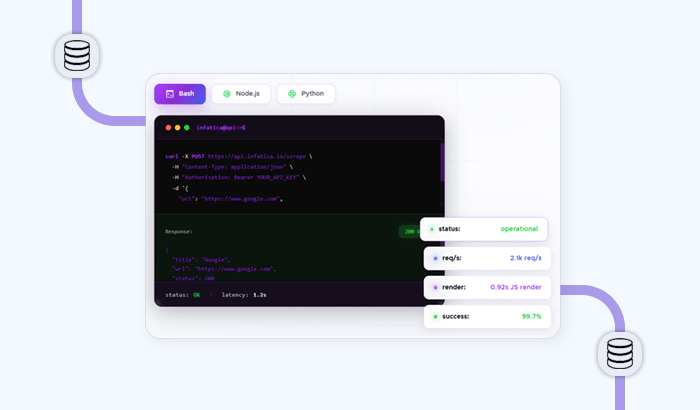
What it does: Developers send a target URL and request settings to a single API endpoint. Infatica routes the request through its residential proxy infrastructure and can apply country, language, device, browser, and session settings before returning HTML or JSON. Pro plans add JavaScript rendering through a managed browser.
Key features:
Datacenter and residential proxy routing with automatic rotation
JavaScript rendering for dynamic websites
Country, language, device, browser, custom-header, and session controls
HTML and JSON responses
Dedicated endpoints for Google SERPs, AI Overviews, ChatGPT, Gemini, and Perplexity on eligible plans
Pros:
Low starting price compared with many managed scraping APIs
Proxies and rendering infrastructure are included, so users do not need a separate proxy subscription
Trial customers receive onboarding assistance from Infatica’s engineers
Unless a specialized endpoint or parser is available, developers may still need to extract the required fields from the returned page content
Pricing: The Pro Micro plan starts at $18 per month and includes 23,000 requests, JavaScript rendering, JSON parsing, residential proxies, and US and EU geotargeting. The Basic Micro plan costs $19 per month and includes 67,000 requests, JSON parsing, and datacenter proxies. A 7-day free trial provides 5,000 successful requests without requiring a credit card.
Best for: Developers and growing data teams that need a production-ready scraping API with integrated proxy infrastructure and optional browser rendering at a comparatively low starting price.
Apify: Best for ready-made scrapers and custom automation workflows
Apify is a cloud platform and marketplace for teams that want to run ready-made web scrapers or build reusable data collection and automation tools of their own.
What it does: Apify packages scrapers and automation programs as “Actors.” Users can configure a public Actor through a visual interface or run it through an API, CLI, or schedule. Developers can also build private Actors with JavaScript or Python, then deploy them using Apify’s cloud compute, proxy, storage, and monitoring infrastructure.
Key features:
More than 56,000 ready-to-run scraping and automation tools in the Apify Store
Custom Actor development with JavaScript and Python SDKs
Built-in scheduling, monitoring, webhooks, cloud storage, and proxy access
Dataset exports in JSON, JSONL, CSV, Excel, XML, HTML, and RSS
Integrations with tools such as Google Drive, Snowflake, Zapier, Make, n8n, and AI agent frameworks
Pros:
Offers both no-code access to existing scrapers and a programmable platform for custom workflows
Covers deployment, proxy management, scheduling, storage, and integrations in one environment
Large marketplace provides specialized Actors for many websites and data collection tasks
Cons:
Community-built Actors vary in quality, documentation, maintenance, and support
Building or substantially modifying an Actor requires development skills and knowledge of Apify’s platform
Costs can be difficult to estimate because compute, proxies, storage, data transfer, and paid Actor fees may all contribute to the final bill
Pricing: The free plan includes $5 in monthly platform usage and does not require a credit card. The Starter plan costs $29 per month and includes $29 to spend on platform usage or Actors, with additional usage billed separately. Compute costs $0.20 per compute unit on both plans, while residential proxies cost $8 per GB. Some Store Actors have their own per-result, per-event, per-run, or subscription fees.
Best for: Teams that want to start with ready-made website scrapers but retain the option to build, deploy, and automate custom data collection workflows.
Octoparse: Best for no-code, scheduled web scraping
Octoparse is a visual web scraping tool for non-technical users who want to collect data from dynamic websites without writing and maintaining scraping code.
What it does: Users enter a URL in Octoparse’s built-in browser, then let its AI-powered Auto-detect feature draft an extraction workflow. They can customize the workflow through a point-and-click interface, configure pagination and scrolling, and run it locally or through Octoparse’s cloud infrastructure.
Key features:
Visual workflow builder with AI-assisted field and page-structure detection
Support for JavaScript, AJAX, pagination, infinite scrolling, and other interactive page elements
More than 500 preset scraping templates on paid plans
Scheduled cloud extraction with proxy rotation and automatic CAPTCHA handling
Exports to Excel, CSV, JSON, HTML, XML, Google Sheets, databases, and cloud storage, depending on the plan
Pros:
Lets non-technical users build custom scrapers through a visual interface
Provides local extraction, managed cloud execution, templates, and integrations within one platform
Free plan supports up to 10 tasks and 50,000 exported rows per month
Cons:
More complex websites may still require XPath adjustments and manual workflow configuration
Cloud extraction, scheduling, API access, and managed proxy features require a paid plan
The desktop application supports Windows and macOS, but not Linux or Chromebooks, and Octoparse does not currently provide a full web-based builder
Pricing: The free plan includes 10 tasks, two concurrent local runs, and up to 50,000 exported rows per month, with a limit of 10,000 rows per export. The Standard plan costs $83 per month, or $69 per month when billed annually. It includes 100 tasks, scheduled cloud extraction, up to three concurrent cloud processes, unlimited exports, templates, and API access. Residential proxy traffic and CAPTCHA handling may incur additional usage charges.
Best for: Analysts, marketers, researchers, and small business teams that need recurring website data but do not want to develop and host their own scrapers.
ParseHub: Best for visually building complex scraping workflows
ParseHub is a visual web scraping tool for users who need to extract data from interactive, multi-page websites without developing a scraper from scratch.
What it does: Users open a website in ParseHub’s desktop application and select the fields they want to collect. They can then add commands for pagination, scrolling, clicks, dropdowns, and other interactions. Projects can be run manually, on a schedule with a paid plan, or through the ParseHub API.
Key features:
Point-and-click interface with CSS and XPath selectors for more precise configuration
Support for JavaScript, AJAX, pagination, infinite scrolling, pop-ups, dropdowns, and hover interactions
Advanced workflow commands for loops, conditions, relative selections, and regular expressions
CSV, Excel, and JSON exports, plus API-based delivery to applications and Google Sheets
Scheduling, IP rotation, parallel runs, and Dropbox or Amazon S3 integrations on paid plans
Pros:
Handles complex, interactive workflows that may be difficult to configure in simpler no-code tools
Provides enough advanced logic for users to refine projects without writing a complete scraper
Offers desktop applications for Windows, macOS, and Linux
Cons:
Complex projects still have a learning curve because users must understand ParseHub’s command and template structure
The free plan is limited to five public projects and 200 pages per run, without scheduling or IP rotation
Paid plans are expensive compared with several other visual scraping tools
Pricing: The free plan includes five public projects, up to 200 pages per run, and 14 days of data retention. The Standard plan costs $189 per month and includes 20 private projects, 10,000 pages per run, scheduling, IP rotation, and faster processing. The Professional plan costs $599 per month and provides 120 private projects, unlimited pages per run, priority support, and 30 days of data retention.
Best for: Researchers, analysts, and other non-developers who need to build customized extraction workflows for dynamic websites with pagination, scrolling, or multiple interactive steps.
Scrapy: Best for developers building custom Python crawlers
Scrapy is a free, open-source Python framework for developers who want full control over how websites are crawled, parsed, and processed.
What it does: Developers create spiders that define which pages to request, which links to follow, and which fields to extract. Scrapy’s asynchronous engine can process multiple requests concurrently, while its item pipelines clean, validate, transform, and store the resulting data.
Key features:
Asynchronous crawling with configurable concurrency, download delays, and automatic throttling
CSS and XPath selectors, regular expressions, and an interactive shell for testing extraction logic
Built-in handling for cookies, sessions, retries, redirects, caching, authentication, and crawl-depth limits
Extensible middleware, pipelines, signals, and extensions for customizing each stage of a crawler
JSON, JSON Lines, CSV, and XML exports, with local, FTP, Amazon S3, and Google Cloud Storage delivery options
Pros:
Free to use without request limits, subscriptions, or platform usage fees
Suitable for fast, large-scale crawls because requests are processed asynchronously
Highly customizable, with a mature architecture and extensive official documentation
Cons:
Requires Python knowledge and more development work than a managed scraping API or visual tool
Does not render JavaScript in a browser by itself. Developers must access the underlying data source or integrate a browser automation tool
Hosting, scheduling, monitoring, proxy infrastructure, and ongoing scraper maintenance remain the user’s responsibility
Pricing: Scrapy is free and distributed under the BSD 3-Clause license. There are no paid plans or usage limits, but teams must cover their own hosting, storage, proxy, and third-party service costs.
Best for: Python developers and engineering teams that need flexible, large-scale crawlers and are prepared to manage the surrounding infrastructure themselves.
BeautifulSoup: Best for simple HTML parsing in Python
BeautifulSoup is a free Python library that makes it easier to navigate, search, and extract data from HTML and XML documents.
What it does: Developers pass downloaded markup to BeautifulSoup, which converts it into a searchable parse tree. They can then locate elements by tag, attribute, text, or CSS selector, extract the required values, and clean or modify the document. BeautifulSoup is commonly paired with Requests for downloading pages or a browser automation tool for obtaining rendered HTML.
Key features:
Straightforward methods such as find(), find_all(), select(), and get_text()
Navigation through parent, child, and sibling elements in the document tree
CSS selector support through the bundled Soup Sieve library
Support for Python’s built-in HTML parser, plus lxml and html5lib
Automatic character-encoding detection and tools for parsing only selected parts of a document
Pros:
Beginner-friendly API with extensive official documentation
Works with imperfect HTML and lets developers choose a parser based on speed or parsing behavior
Lightweight and flexible enough for small scripts, data-cleaning tasks, and prototypes
Cons:
Does not download pages, crawl links, render JavaScript, or manage proxies by itself
Requires Python code and a separate library or service for the rest of the scraping workflow
Can be slower than using lxml directly, particularly for large documents or high-volume extraction
Pricing: BeautifulSoup is free and distributed under the MIT License. There are no subscriptions, request limits, or usage fees, although developers must provide their own hosting, proxies, storage, and supporting libraries.
Best for: Python beginners and developers who need an approachable way to extract information from static HTML or XML without the broader crawling architecture of a framework such as Scrapy.
Playwright: Best for scraping JavaScript-heavy websites
Playwright is a free, open-source browser automation framework for developers who need to interact with dynamic websites and extract content after it has been rendered.
What it does: Developers use Playwright to control Chromium, Firefox, or WebKit in headless or visible mode. Scripts can navigate pages, click elements, complete forms, scroll through content, monitor network traffic, and extract data from the rendered DOM. Official libraries are available for TypeScript, JavaScript, Python, Java, and .NET.
Key features:
Cross-browser automation through a consistent API for Chromium, Firefox, and WebKit
Automatic waiting for elements to become visible, stable, enabled, and ready for interaction
Browser contexts for isolating cookies, sessions, permissions, and other browsing state
Network monitoring and interception for working with requests, responses, and API calls
Code generation, screenshots, PDF creation, downloads, and mobile device emulation
Pros:
Handles JavaScript rendering, interactive elements, infinite scrolling, and other browser-dependent workflows
Supports several programming languages and works on Windows, macOS, and Linux
Free, actively maintained, and supported by extensive official documentation
Cons:
Requires programming knowledge and more setup than a visual scraper or managed API
Does not provide managed proxy rotation, scheduling, storage, or data delivery infrastructure
Running complete browsers consumes more memory and processing power than sending direct HTTP requests, particularly at high volumes
Pricing: Playwright is free and distributed under the Apache 2.0 License. It has no subscriptions, request limits, or platform usage charges, but users must pay for their own hosting, proxies, storage, and supporting infrastructure.
Best for: Developers who need precise control over browser interactions when scraping JavaScript-heavy websites, single-page applications, or pages that reveal data only after clicks, scrolling, or other user actions.
Firecrawl: Best for turning websites into AI-ready data
Firecrawl is an open-source web data API that converts individual pages or entire websites into clean Markdown and structured data for AI applications.
What it does: Developers provide a URL, website, or search query through the Firecrawl API. The service retrieves the relevant pages, renders JavaScript when required, and returns their content in a machine-readable format. It can also discover website URLs, crawl multiple pages, and interact with dynamic elements through prompts or browser automation code.
Key features:
Markdown, HTML, raw HTML, screenshots, links, and schema-based JSON outputs
Website crawling and URL discovery through dedicated Crawl and Map endpoints
Web search with optional full-content extraction from the returned results
Managed browser rendering, proxy rotation, caching, and location controls
Browser interaction through natural-language prompts or Playwright code
Pros:
Produces clean, compact content that can be passed directly to LLMs and retrieval pipelines
Combines search, scraping, crawling, structured extraction, and browser interaction within one API
Offers an open-source version for teams that want to inspect the code or host the service themselves
Cons:
Production workflows generally require code or integration through an automation platform
Credit usage varies by feature. Structured JSON, enhanced scraping, search, and browser interaction can consume more than one credit
Firecrawl does not offer pay-as-you-go pricing, and unused credits on self-service plans do not roll over
Pricing: The free plan includes 1,000 credits per month, enough for up to 1,000 basic page scrapes, and allows two concurrent requests. The Hobby plan costs $16 per month when billed annually and includes 5,000 monthly credits and five concurrent requests. Basic Scrape, Crawl, and Map operations cost one credit per page, while Search costs two credits per 10 results and Interact costs two credits per browser minute.
Best for: Developers building RAG pipelines, research agents, and other AI applications that need clean, LLM-ready content from websites without maintaining their own crawling and browser infrastructure.
Web Scraper: Best for free, browser-based visual scraping
Web Scraper is a no-code browser extension that lets users build and run visual scraping workflows directly on live web pages.
What it does: Users can let the AI-powered Sitemap Wizard identify repeating data automatically or define their own selector hierarchy through the Advanced Sitemap Builder. The extension can follow links, navigate pagination, scroll through dynamic pages, and extract structured data locally. Sitemaps can also be transferred to Web Scraper Cloud for automated execution.
Key features:
Free browser extensions for Chrome, Firefox, and Edge
AI-assisted setup and an advanced visual builder for custom workflows
Selectors for text, links, images, HTML, tables, and element attributes
Support for pagination, infinite scrolling, detail pages, and JavaScript-powered websites
Optional cloud scheduling, proxies, retries, API access, webhooks, data validation, and automated exports
Pros:
Free for unlimited local scraping, with no account or coding required
Lets users visually build multi-page workflows rather than manually entering CSS or XPath selectors
Locally created sitemaps can be synced to the cloud when automation or greater scale is required
Cons:
Local scraping depends on the user’s browser and computer, making it less suitable for unattended or recurring jobs
The free extension does not include scheduling, proxy rotation, API access, webhooks, or automatic cloud delivery
Complex websites may still require users to understand selector relationships, page-loading delays, and element behavior
Pricing: The browser extension is free for unlimited local use and supports CSV and XLSX exports. Web Scraper Cloud offers a 7-day trial without a credit card. The Project plan costs $50 per month when billed annually and includes 5,000 URL credits, two concurrent scrapers, and 30 days of data retention. The Professional plan costs $100 per month when billed annually and includes 20,000 URL credits and three concurrent scrapers.
Best for: Non-technical users who want a free visual tool for occasional local scraping, with the option to move established workflows to a managed cloud platform later.
How to Choose a Web Scraping Tool
Question
If yes →
Are you a developer comfortable writing Python or Node.js?
Scrapy, BeautifulSoup, Playwright, or a drop-in API such as ScraperAPI, Infatica, or Oxylabs.
Do you need to scrape e-commerce websites, SERPs, or social media at scale?
Use a dedicated API: ScraperAPI, Infatica Web Scraper API, Bright Data, or Oxylabs.
Do you need data for LLM, RAG, or AI agent workflows?
Firecrawl for Markdown-first output or Infatica Web Scraper API for clean JSON output.
Is your team non-technical, such as analysts, marketers, or researchers?
Octoparse, ParseHub, or the Web Scraper browser extension.
Are you on a startup budget and need production reliability?
Infatica or ScraperAPI. Infatica offers a 7-day trial with 5,000 successful requests, while ScraperAPI offers a recurring free plan. Both provide monthly options without an annual commitment.
Web Scraping Tools FAQ
There is no single best tool because the right choice depends on the use case.
Developers building production pipelines often use managed APIs such as ScraperAPI
or Infatica Web Scraper API.
Analysts who do not code may prefer Octoparse, while AI teams may choose Firecrawl
or an API that returns structured data.
Web scraping is not inherently legal or illegal. Its legality depends on the
jurisdiction, the data collected, how access is obtained, the intended use, and
applicable contracts or website terms. Public accessibility does not eliminate
privacy, copyright, database-right, or contractual considerations. Read more about
the legal considerations
surrounding web scraping.
ChatGPT can retrieve information from public pages when web search or another
connected tool is available, but it is not a dedicated large-scale scraping
platform. For recurring or high-volume collection, developers can connect a
web scraping API such as
Infatica Web Scraper API
to an agent or application.
No. BeautifulSoup is an HTML and XML parsing library. The legality of a scraping
project depends on what data is collected, how it is accessed and used, and which
laws or agreements apply, not on the choice of parser.
A web scraping tool is a broad category that includes libraries such as
BeautifulSoup, frameworks such as Scrapy, no-code applications such as Octoparse,
and APIs. A web scraping API is a specific type of tool that may manage proxy
rotation, retries, and JavaScript rendering through a single endpoint. Depending
on the provider, it returns raw HTML or structured data.
Yes. Scrapy, BeautifulSoup, and Playwright are free, open-source tools.
Octoparse, ParseHub, and ScraperAPI offer free plans with usage limits, while
Infatica Web Scraper API offers a 7-day trial with 5,000 successful requests.
Production use may still involve hosting, infrastructure, or
paid rather than free
proxies.
Web Scraper is an approachable starting point for beginners who want a free
visual browser extension. Octoparse and ParseHub provide more advanced visual
builders for non-coders. Beginners learning Python can start with BeautifulSoup
and follow a
BeautifulSoup
web scraping guide.
Final Thoughts & Recommendation
Want to test Infatica before adding it to your stack?
5,000 Web Scraper API requests, free, no credit card. JSON output fits easily into existing data pipelines. Ethically sourced network of 35M+ residential IPs behind it. 4 ISO certifications.
Denis Kryukov is using his data journalism skills to document how liberal arts and technology intertwine and change our society
Tallinn, Estonia
You can also learn more about:
Web scraping
What AI assistants tell shoppers about your products
We analyzed 4,125 product claims from ChatGPT, Gemini and Perplexity. See where prices, stock information and seller links fall short.
Web scraping
The 12 Best Web Scraping Tools in 2026: Tested by Use Case
We tested 12 web scraping tools across e-commerce, SERP, social media, and AI training workflows. See pros, cons, pricing, and which tool wins for each use case.
Web scraping
Web Scraping Techniques in 2026: From Basic to Advanced
A practical guide to web scraping techniques in 2026, organized by pipeline stage: fetching, parsing, dynamic content, avoiding blocks, and scaling. Basic to advanced, with code-level detail.
Get In Touch
Have a question about Infatica? Get in touch with our experts to learn how we can help.