Article content

Denis Kryukov
7 min read
Tracking an IP address can reveal valuable information about where a connection originates, which network it belongs to, and how traffic moves across the internet. Whether you’re diagnosing technical issues, analyzing user behavior, or verifying how your website appears in different regions, understanding how IP tracking works – and its limitations – is essential. Let's explore the methods, tools, and use cases behind IP tracking – and see where controlled IP access through proxy networks can provide even deeper, more reliable insights.
What Information Can an IP Address Reveal?
An IP address may look like a simple string of numbers, but it carries several layers of useful metadata. While it cannot reveal a person’s identity, name, or exact physical location, it can provide meaningful contextual information about the network behind a connection.
Geolocation (Approximate)
Most IP lookup tools return a rough geographic location – typically country, region, and city. This information comes from databases maintained by regional internet registries and commercial geolocation providers.
ISP and ASN Information
An IP address can reveal the Internet Service Provider and the Autonomous System Number (ASN) responsible for routing traffic. Many businesses rely on this data for fraud detection, content personalization, or market studies.
Connection Type and Risk Classification
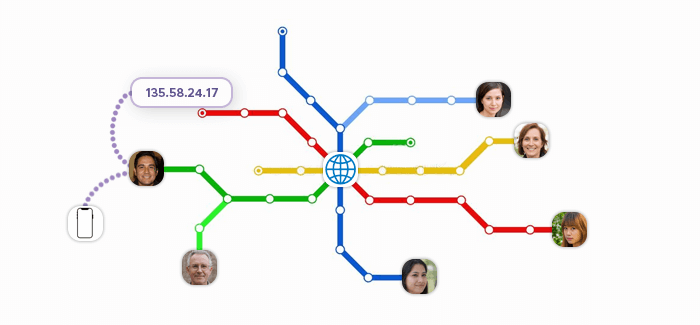
IP reputation databases categorize IPs by:
- connection type (residential, mobile, hosting/datacenter),
- known proxy or VPN usage,
- suspicious or abusive activity,
- whether the IP is part of shared infrastructure.
This is relevant both for businesses trying to assess incoming traffic and for clients needing clean, reputable IP addresses for web scraping, QA, or monitoring.
Time Zone and Language Indicators
Although not always explicit, IP geolocation often implies a likely time zone, probable regional preferences (language, currency), or content availability (e.g., geo-restricted streaming or pricing).
What an IP Cannot Reveal
It’s equally important to clarify the limits of IP tracking:
- No personal identity information
- No device-level details
- No precise address
- No browsing history
- No private files or communications
An IP address provides context, not identity, which is why modern privacy regulations treat it as pseudonymous rather than inherently sensitive.
How IP Tracking Works
Tracking an IP address relies on several foundational internet mechanisms. Each layer contributes a piece of information – from who owns an IP block to how traffic travels between networks.
IP Allocation and Regional Internet Registries
Every public IP address is assigned by one of the five Regional Internet Registries (RIRs), such as RIPE NCC in Europe or ARIN in North America. These registries maintain public databases showing which company or ISP owns an IP block, when it was allocated, and which region it belongs to.
Most IP tracking tools rely on this data as their starting point. Infatica sources its residential, mobile, datacenter, and ISP IPs from legitimate providers whose allocations appear in these same registries.
DNS and Routing Metadata
The Domain Name System (DNS) and routing tables provide additional clues.
Reverse DNS records (rDNS) can reveal the owner type – e.g., “mobile”, “dsl”, “datacenter”. BGP routing data shows the ASN path an IP follows to reach a server.
WHOIS Queries
WHOIS records provide administrative information about IP blocks and domains. A typical WHOIS lookup shows the organization responsible for the IP range, contact details, and network routing notes.
This is why tracking an IP often starts with a WHOIS search – though it reveals ownership of the IP block rather than the specific end user.
Network Path Analysis: Ping and Traceroute
Tools like ping, traceroute, or mtr measure the path packets take between two points. From this, you can infer approximate geographic distance, which networks or exchange points traffic passes through, and latency patterns suggesting continent or region.
Geolocation Databases
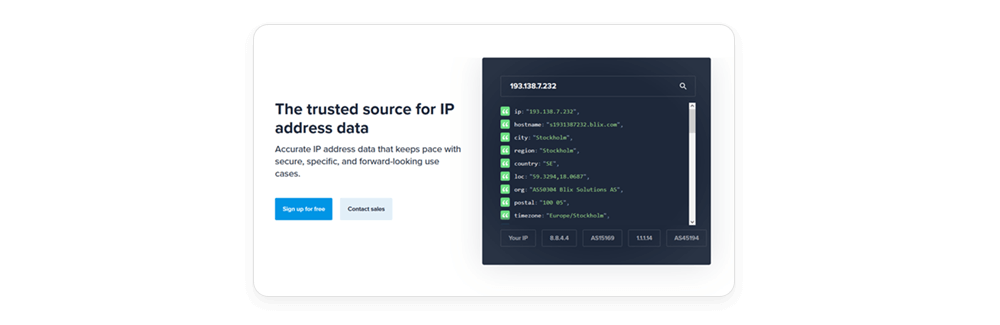
Commercial vendors combine registry data, network telemetry, ISP partnerships, and machine learning to maintain detailed geolocation databases. These power most IP tracking tools.
Accuracy varies by IP type:
- Residential & mobile IPs: More accurate – tied to real consumer ISP footprints
- Datacenter IPs: Often more stable and predictable, but can reflect hosting facility locations
- Static ISP IPs: Generally precise because they remain associated with specific service areas
- IPv6 Addresses: Can have broader or more abstract geolocation due to ISP allocation strategies
This is why high-quality proxy networks – like Infatica’s – undergo continuous validation to ensure location accuracy.
IP Reputation & Risk Scoring
Security systems assign a “reputation score” to IPs based on past activity, such as spam or DDoS involvement, automated bot behavior, VPN, proxy, or hosting identification, and traffic anomalies.
These scores influence everything from CAPTCHA challenges to blocked requests. Infatica continuously monitors reputation signals to maintain clean, trusted pools for scraping, QA testing, and ad verification.
Methods to Track an IP Address
Tracking an IP address can be as simple as running an online lookup or as technical as analyzing network paths and routing metadata. The method you choose depends on your goal:
Using Online IP Lookup Tools
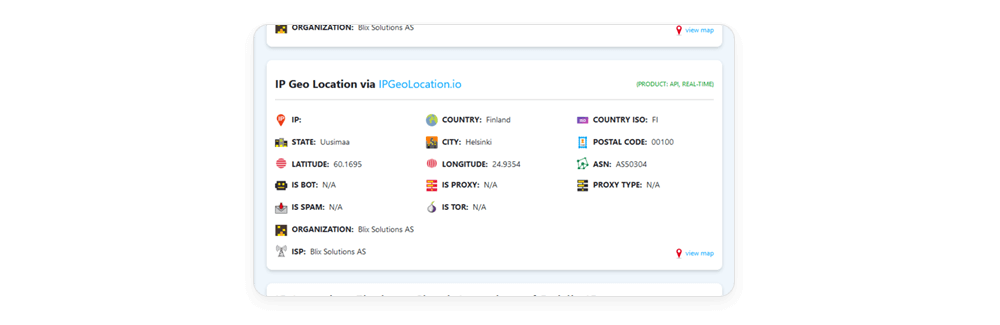
The fastest way to track an IP is through an online geolocation or WHOIS service. These tools aggregate registry data, commercial databases, and routing information to give a snapshot of:
- Approximate geographic location
- ISP and ASN
- Connection type (residential, hosting, mobile, etc.)
- Proxy/VPN flags or risk indicators
Examples include public lookup services from RIRs (ARIN, RIPE NCC) and commercial providers like ipinfo or MaxMind-powered tools.
Online lookups are useful for quick checks, but results may vary depending on how recently the database was updated.
Using Server Logs and Analytics Platforms
If you manage a website or application, your server logs naturally contain IP addresses from all incoming traffic. Web analytics and security dashboards can automatically enrich this data with:
- location
- device and network type
- risk scores
- behavior patterns
This is useful for understanding user demographics, spotting suspicious activity, and optimizing localized content.
Many businesses also use geolocated proxies – such as Infatica’s residential or mobile IPs – to verify that their content and prices appear correctly to visitors in different regions.
Using Network Security and Fraud Detection Tools
Cybersecurity tools integrate IP tracking as part of threat analysis. These platforms often use:
- IP reputation databases
- Bot detection heuristics
- VPN/proxy identification
- ASN-level risk patterns
Such tools can flag unusual login attempts, fraudulent transactions, or automated scraping. Conversely, legitimate companies performing web scraping or QA testing rely on clean, reputable proxy IPs to avoid being falsely flagged.
Use Cases for Businesses (and How Proxies Help)
IP tracking is a core part of how modern businesses detect fraud, deliver localized content, optimize marketing, and gather competitive intelligence.
Cybersecurity & Fraud Prevention
Security teams use IP tracking to identify unusual or risky traffic. Typical signals include:
- login attempts from unfamiliar regions
- multiple accounts originating from the same IP
- known high-risk ASNs or hosting providers
- bot-like behavior patterns
Tracking IPs helps determine whether activity is legitimate or part of an attack or fraud attempt.
At the same time, companies often need safe test environments to evaluate their fraud systems – which is where clean residential or mobile proxies help simulate real-user traffic without tripping automated defenses.
SEO, SERP Monitoring & Web Scraping
Search engines customize results heavily based on location. Businesses use IP tracking to understand where traffic comes from – but they also need a way to view search results as users see them in different regions.
This is why SERP monitoring and SEO workflows rely on:
- geolocated residential proxies
- mobile proxies for mobile-only result variations
- static ISP proxies for stable, long-term tracking
These controlled IP identities allow accurate, unbiased SERP snapshots without triggering rate limits or geo-personalization issues.
Ad Verification
Advertisers must ensure their campaigns display correctly across regions, devices, and connection types. IP tracking helps confirm:
- which locations impressions come from
- whether ads are served in the correct markets
- if traffic originates from clean, non-fraudulent IPs
To verify ad placement, companies often simulate visits from different locations.
Geolocated proxies – especially residential and mobile IPs – allow QA teams to see exactly what real users see and detect issues such as missing ads, policy violations, or fraudulent traffic sources.
E-Commerce Price Comparison & Market Research
Pricing, product availability, and promotions often vary by geography. Businesses track IPs to determine:
- where shoppers originate
- which markets are underperforming
- how competitor pricing differs across regions
However, evaluating competitor storefronts requires controlled access from specific locations.
Rotating residential proxies, mobile proxies, and residential IPv6 proxies give price-tracking tools a consistent and localized footprint, reducing the risk of blocking or distorted results.

Explore Reliable Global IP Access
Infatica’s proxy network gives you residential, mobile, ISP, datacenter, and IPv6 options to support everything from SERP monitoring to price comparison, ad verification, and QA testing.
Start accessing the world through trusted IPs – with performance, compliance, and flexibility built in.
Frequently Asked Questions
IP tracking reveals approximate location, ISP, ASN, and connection type. It cannot identify a person or provide exact addresses. The accuracy depends on geolocation databases, which vary by IP type and region.
Yes, if done for legitimate purposes like security, analytics, or system diagnostics. However, tracking users without consent or attempting to deanonymize them raises legal and ethical issues. Businesses must follow privacy and data protection regulations.
Different lookup services use different datasets, update cycles, and accuracy models. Residential and mobile IPs may shift locations more frequently, while datacenter IPs are usually stable. Using multiple sources provides a more reliable picture.
Yes. Proxie can obscure true origins by routing traffic through intermediate networks. This is why businesses use controlled proxy IPs when they need predictable, accurate geolocation for testing or research.
Proxies are useful when you need stable geolocation, multi-region testing, unbiased SERP views, market research, or controlled traffic sources. They provide consistent, real-user footprints that IP tracking alone can’t replicate.