Article content

Pavlo Zinkovski
7 min read
Proxy hostname works together with a port, protocol, and authentication details to route requests through the right proxy infrastructure. Let’s explore what a proxy hostname is, how it differs from a proxy IP address, how common hostname formats work, and how to fix typical proxy hostname errors.
What Is a Proxy Hostname?
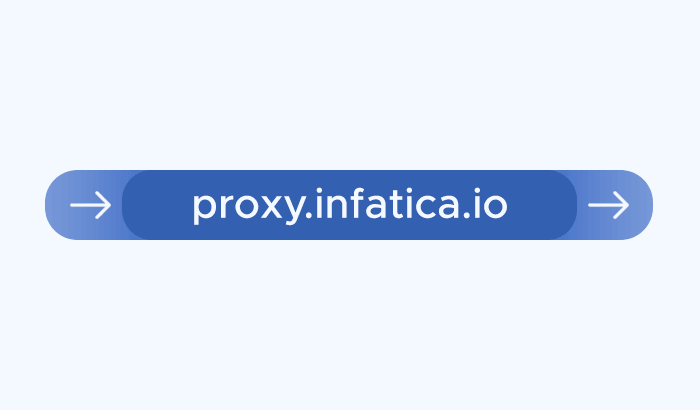
A proxy hostname is the address your browser, app, scraper, or automation tool uses to connect to a proxy server or proxy gateway. It usually looks like a regular domain name, such as:
proxy.infatica.io
In a full proxy configuration, the hostname is usually combined with a port, protocol, and authentication details:
http://username:password@proxy.infatica.io:12345
Here, proxy.infatica.iois the proxy hostname, while 12345 is the port. The username and password authenticate the user, and the protocol tells the application how to connect to the proxy.
A proxy hostname works much like a website domain. Instead of asking users to connect directly to a raw IP address, the proxy provider gives them a readable connection address. Behind that hostname, the provider can route traffic through a specific proxy server, a regional gateway, or a larger proxy pool.
This is especially useful for modern proxy setups. A single hostname can give access to residential proxies, datacenter proxies, static ISP proxies, mobile proxies, or IPv6 proxy pools, depending on how the provider’s infrastructure is configured. The hostname may stay the same, while the actual exit IP address changes based on rotation settings, location targeting, session rules, or proxy type.
How a Proxy Hostname Works
A proxy hostname works as the connection address between your device, application, or scraping tool and the proxy provider’s infrastructure. Instead of sending a request directly to the target website, your tool first connects to the proxy hostname. The proxy server then forwards the request on your behalf.
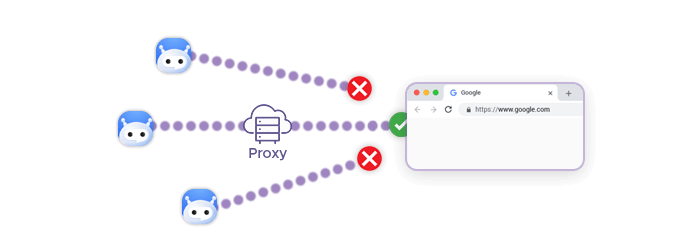
In a typical setup, the request flow looks like this:
- Your browser, scraper, or automation tool connects to the proxy hostname and port.
- The proxy provider checks your authentication details, such as username and password or IP whitelist.
- The proxy platform applies your routing settings, such as proxy type, location, session duration, or rotation rules.
- The request is sent to the target website through the selected proxy IP address.
- The website responds to the proxy IP, and the proxy sends the response back to your tool.
Proxy Hostname vs Proxy IP Address
A proxy hostname and a proxy IP address can both be used to connect to a proxy, but they are not the same thing. The main difference is that a proxy IP address usually points to a specific endpoint, while a proxy hostname can act as a more flexible gateway to proxy infrastructure.
A proxy IP address looks like this:
192.0.2.10
A proxy hostname looks like this:
proxy.infatica.io
In simple proxy setups, both may lead to a single proxy server. However, in managed proxy networks, the hostname often does more than replace the IP with a readable domain name. It can route requests through load-balanced gateways, location-specific nodes, rotating proxy pools, or dedicated proxy endpoints.
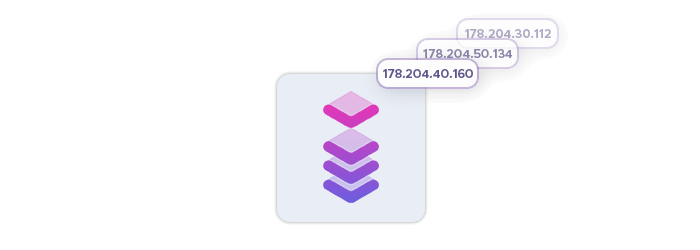
For example, if you connect to a dedicated datacenter proxy IP, you may expect the same IP address to be used consistently. This can be useful for workflows that need predictable performance and stable access. If you connect to a rotating residential proxy hostname, the hostname may stay the same, but the exit IP can change depending on session settings, rotation rules, or geo-targeting options.
The practical difference becomes clearer at scale. Managing long lists of proxy IPs manually can be inefficient, especially when a team needs rotation, failover, country-level targeting, or access to multiple proxy types. A hostname simplifies this setup: users connect to one address, while the proxy provider handles routing behind the scenes.
Proxy Hostnames by Proxy Type
| Proxy type | How the hostname usually works | Typical IP behavior | Best suited for |
|---|---|---|---|
| Residential proxies | The hostname connects users to a residential proxy gateway, which routes requests through real residential IPs from the provider’s pool. | Usually rotating, with options for sticky sessions depending on the provider’s settings. | Web scraping, price monitoring, ad verification, SEO checks, market research, and localized data collection. |
| Shared datacenter proxies | The hostname connects to server-based datacenter proxies that may be shared by multiple users. | Usually fast and stable, but the same infrastructure may be used by more than one customer. | High-speed workflows, testing, bulk requests, and cost-efficient proxy access where residential IPs are not required. |
| Dedicated datacenter proxies | The hostname or IP endpoint connects to datacenter proxies reserved for a single user or team. | Stable and predictable, often with consistent IP access. | Controlled workloads, long-running tasks, internal tools, performance-sensitive workflows, and use cases that need private proxy access. |
| Static ISP proxies | The hostname connects to ISP-backed proxy endpoints that combine ISP network characteristics with datacenter-like stability. | Stable, with less frequent IP changes than rotating residential proxies. | Account-based workflows, platform testing, consistent sessions, and use cases where a stable IP identity matters. |
| Residential IPv6 proxies | The hostname routes traffic through IPv6 residential proxy infrastructure. | Can be rotating or session-based, depending on the provider’s configuration. | IPv6-compatible web scraping, testing, localized access, and workflows where IPv6 coverage is useful. |
| Mobile proxies | The hostname connects to mobile proxy gateways that route requests through mobile carrier networks. | Often rotating, with IP changes based on session settings, carrier behavior, or provider configuration. | Mobile-first testing, app and ad verification, localized mobile experiences, and workflows where mobile IPs are important. |
Common Proxy Hostname Errors and How to Fix Them
Proxy hostname errors are usually caused by small configuration issues: a typo in the hostname, the wrong port, missing authentication details, or a format that does not match the tool you are using.
Could not resolve proxy hostname
This error means your browser, scraper, or application cannot find the hostname through DNS. In simple terms, the tool does not know where to send the proxy connection.
Common causes include a misspelled hostname, an extra space, an incorrect domain, or a hostname copied without the full required format. It can also happen if there is a temporary DNS issue on the user’s network.
To fix it, check the hostname character by character, remove accidental spaces, and make sure you are using the exact address provided by your proxy provider. If the same hostname works on another network or device, the issue may be related to local DNS settings or network restrictions.
Proxy authentication failed
Authentication errors usually mean the proxy server was reached, but the credentials were rejected. This is different from a hostname resolution issue: the hostname works, but the user is not allowed to use the proxy.
The most common causes are an incorrect username or password, expired proxy access, disabled plan, wrong authentication method, or IP whitelist mismatch. For example, if your account uses IP whitelisting, the proxy provider may reject requests coming from an IP address that has not been added to the allowed list.
To fix it, verify the username and password, check whether your plan is active, and confirm which authentication method is enabled. If you use IP whitelisting, make sure your current public IP address is added in the proxy dashboard.
Connection refused
This often means the hostname was reached, but the connection could not be established on the selected port. This may happen when the port is incorrect, inactive, blocked, or not supported by the selected proxy type.
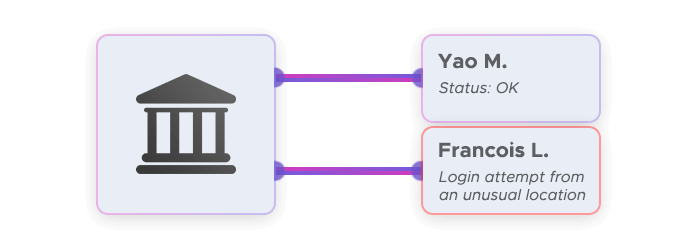
For example, a proxy provider may use one port range for residential proxies and another for datacenter proxies. If the hostname is correct but the port belongs to a different service, the connection may fail.
To fix it, confirm that the hostname and port are paired correctly. Also check whether your tool supports the selected protocol, such as HTTP, HTTPS, or SOCKS5. In corporate or restricted networks, firewall rules may also block certain proxy ports.
Proxy works in one tool but not another
This usually happens because different tools expect different proxy formats. One browser extension may ask for hostname, port, username, and password in separate fields, while a scraper, command-line tool, or automation framework may require a full proxy URL.
For example, one tool may expect this:
proxy.infatica.io
12345
username
password
Another may expect this:
http://username:password@proxy.infatica.io:12345
To fix it, check the proxy format required by the specific application. Pay attention to the protocol prefix, separators, and authentication placement. A proxy can be valid but still fail if the tool receives it in the wrong format.
Unsupported proxy protocol
This error means the tool and proxy server are not using the same connection protocol. For example, you may be trying to use a SOCKS5 proxy in a tool configured for HTTP proxies, or an HTTP proxy in a setting that expects SOCKS5.
To fix it, check which protocols your proxy plan supports and match that protocol in your application. If the provider supports HTTP, HTTPS, and SOCKS5, make sure you choose the one that fits your workflow and enter it in the format your tool expects.
Frequently Asked Questions
A proxy hostname is the domain-style address your browser, scraper, or application uses to connect to a proxy server or gateway. It usually works together with a port, protocol, and authentication details.
No. A proxy IP address points to a numeric endpoint, while a proxy hostname can act as a readable gateway to proxy infrastructure. In rotating setups, one hostname may route traffic through many different IPs.
Your proxy hostname is usually provided in your proxy dashboard, setup guide, or account credentials. It may appear alongside the port, username, password, protocol, location settings, and other connection details.
This usually happens when the hostname connects to a rotating proxy pool. The hostname stays the same, but the exit IP may change based on rotation rules, session settings, location targeting, or proxy type.
Usually, no. If you use a managed Web Scraper API, proxy routing, retries, sessions, and infrastructure are handled by the provider. Proxy hostnames matter more when you configure and manage proxies directly.