Article content


Denis Kryukov
12 min read
Web scraping test sites give developers a safe, controlled way to practice data extraction before working with real-world websites. In this article, we’ll look at the best websites to practice web scraping, compare them by skill level, explain what each test site helps you learn, and show how practice scrapers can eventually evolve into production-ready data collection workflows.
Top 8 web scraping test beds
These environments use sample data, predictable structures, and common website patterns, helping you practice scraping logic without immediately working with real commercial platforms. They range from beginner-friendly HTML pages to more advanced sandboxes with JavaScript, login flows, APIs, and dynamic content.
1. ToScrape
ToScrape is one of the most popular starting points for web scraping practice. It includes Books to Scrape, a fictional bookstore with 1,000 items, pagination, and up to 20 items per page. Since it does not require JavaScript, it is a good first project for practicing requests, HTML parsing, CSS selectors, XPath, pagination, and product data extraction.
It also includes Quotes to Scrape, which gives learners more varied challenges. Depending on the endpoint, you can practice microdata extraction, infinite scrolling, JavaScript-generated content, delayed page loading, table-based layouts, login flows with CSRF tokens, AJAX filters, and random content pages.
Best for: beginners and early intermediate learners. What to practice: product listings, quotes, authors, tags, pagination, selectors, and basic session handling.
2. Scrape This Site
Scrape This Site is a public sandbox built around different scraping scenarios. It includes simple pages for beginners, as well as more advanced examples that cover searching, pagination, AJAX, JavaScript, frames, iFrames, login handling, session cookies, CSRF tokens, and common network errors.
This makes it especially useful after you have already practiced on static HTML pages. For example, the “Countries of the World” page is suitable for basic extraction, while the hockey statistics page helps you practice forms, searching, and pagination. The Oscar-winning films section introduces AJAX and JavaScript-loaded content, which is closer to what scrapers often encounter on modern websites.
Best for: learners who want structured challenges beyond basic HTML parsing. What to practice: tables, forms, search flows, pagination, AJAX, JavaScript, frames, sessions, and CSRF handling.
3. WebScraper.io Test Sites
WebScraper.io provides dedicated test sites for training and evaluating scraping configurations. These examples focus heavily on e-commerce-style structures, making them useful for practicing product data extraction across categories, subcategories, pagination, AJAX pagination, “load more” buttons, infinite scrolling, and table extraction.
Best for: e-commerce scraping practice. What to practice: category crawling, product extraction, pagination, AJAX pagination, load-more flows, infinite scroll, and table parsing.
4. ScrapingCourse.com Test Sites
ScrapingCourse.com offers a collection of demo pages and challenges designed around specific scraping problems. Its test pages cover e-commerce data, pagination, load-more buttons, infinite scrolling, login flows, CSRF-protected login, JavaScript rendering, and table parsing.
This is a good option when you want to practice one concept at a time. Instead of starting with a large website and guessing what to solve first, you can choose a focused challenge: extract products from a table, handle pagination, load items dynamically, or work with content that only appears after JavaScript is enabled.
Best for: targeted skill-building. What to practice: pagination, infinite scroll, login flows, CSRF tokens, JavaScript rendering, and structured table extraction.
5. web-scraping.dev
web-scraping.dev is a more advanced scraping test bed designed to resemble real-world e-commerce scraping scenarios. It includes practice cases for pagination, authentication, GraphQL APIs, CSRF protection, local storage, cookie popups, file downloads, iframes, hidden JSON data, bad encoding, rate limits, robots.txt-related crawler behavior, and more.
This site is especially useful for developers who already understand the basics and want to test scraper robustness. For example, you can practice handling server-side pagination, endless scrolling, background GraphQL requests, cookie-based login, blocked-page responses, retry timing, crawler traps, canonical URLs, and response headers.
Best for: intermediate and advanced developers. What to practice: realistic e-commerce scraping, authentication, dynamic content, GraphQL, cookies, CSRF, rate limits, crawler behavior, and production-style edge cases.
6. HTTPBin
HTTPBin is not a traditional website scraping sandbox, but it is extremely useful for testing the HTTP layer behind a scraper. It describes itself as a simple HTTP request and response service, which makes it helpful for practicing request methods, headers, redirects, forms, status responses, and debugging client behavior.
For scraper development, HTTPBin is useful because many scraping failures are not selector problems – they are request problems. A scraper may need to handle redirects, timeouts, headers, cookies, failed responses, or unexpected status codes before it ever reaches the parsing stage.
Best for: testing scraper request logic. What to practice: headers, redirects, forms, status codes, cookies, delays, request inspection, and error handling.
7. DummyJSON
DummyJSON is a free fake REST API with placeholder JSON data for development, testing, and prototyping. Its product endpoint includes sample product names, prices, descriptions, images, categories, and pagination through limit-and-skip parameters.
This makes it a useful companion to traditional scraping practice. Many real-world data workflows combine HTML extraction with API-style responses, so practicing JSON parsing, pagination, filtering, and transformation is a valuable skill. DummyJSON is especially relevant for e-commerce-style projects because its product data resembles the kind of structured information teams often collect and process.
Best for: API-style data extraction practice. What to practice: JSON parsing, product data handling, pagination logic, filtering, and data normalization.
8. JSONPlaceholder
JSONPlaceholder is another free fake REST API for testing and prototyping. It provides common sample resources such as posts, comments, albums, photos, todos, and users, and it supports standard HTTP methods including GET, POST, PUT, PATCH, and DELETE.
While it is not a web scraping target in the classic sense, it is useful for learning how to work with structured web data. Beginners can use it to practice making requests, parsing JSON responses, joining related resources, and exporting clean datasets. For example, you can collect posts and their comments, users and their todos, or albums and their photos.
Best for: beginners learning API requests and structured data workflows. What to practice: REST APIs, JSON parsing, resource relationships, HTTP methods, and basic data pipelines.
What Skills Can You Practice on Scraping Test Sites?
Instead of starting with a complex real-world website, you can focus on one technical challenge at a time: extracting static HTML, following pagination, handling JavaScript-rendered content, working with APIs, or building cleaner data pipelines.
HTML Parsing and Selector Logic
Most web scraping starts with understanding how a page is structured. Beginner-friendly test sites help you practice reading HTML, identifying the elements you need, and extracting them with CSS selectors or XPath.
For example, a fictional bookstore page might contain product titles, prices, availability labels, ratings, categories, and links to product detail pages. This gives you a simple but realistic way to practice selecting the right elements and turning page content into structured data.
This is also where you learn an important habit: avoid relying on fragile selectors. A scraper that depends on one exact layout or deeply nested element path may break as soon as the page structure changes.
Pagination and Multi-Page Crawling
Many useful datasets are spread across multiple pages. Scraping test sites often include numbered pagination, next-page links, category pages, or search result pages, making them ideal for practicing multi-page extraction.
This helps you learn how to move from one page to the next, collect records without duplication, and stop the crawler at the right point. It also teaches you how to validate completeness: for example, checking whether the number of extracted products matches the expected number of items across all pages.
Tables, Forms, and Search Filters
Some test sites include structured tables, search boxes, dropdown filters, or form-based navigation. These are useful for learning how websites organize data beyond simple product cards or article pages.
Tables help you practice extracting rows and columns into clean datasets. Forms and filters help you understand how user input changes the page URL, query parameters, request payload, or response content. This is useful when scraping pages where data appears only after selecting a category, entering a keyword, choosing a date range, or applying filters.
For business use cases, these skills are especially relevant to market research, public directories, price comparison, competitor monitoring, and structured data collection from searchable websites.
JavaScript and AJAX-Loaded Content
Modern websites often load important content after the initial HTML response. In these cases, a basic request may return an incomplete page, while the data appears only after JavaScript runs in the browser or after the page sends background API requests.
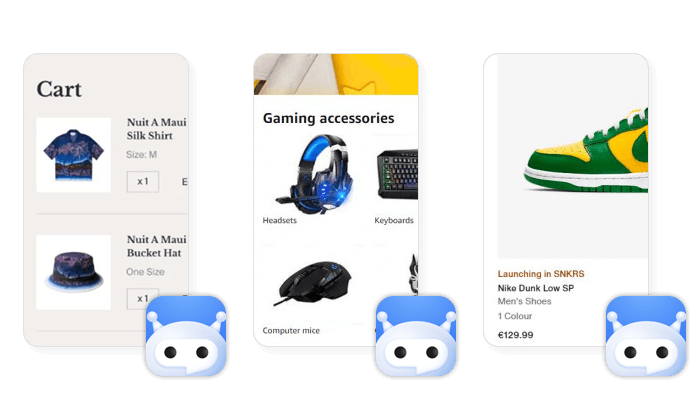
Scraping test sites with JavaScript, AJAX, load-more buttons, and infinite scroll help you understand this difference. They let you practice inspecting network requests, identifying where the data actually comes from, and deciding whether you need browser rendering, direct API requests, or another extraction approach.
This is one of the biggest transitions from beginner scraping to more realistic scraping workflows. A script that works on static HTML pages may fail on dynamic sites unless it can handle client-side rendering and asynchronous content loading.
API Requests and JSON Parsing
Not every data collection workflow depends on HTML extraction. Many websites and applications load data from structured API endpoints, and some scraping test environments include fake REST APIs or JSON-based demo data for practice.
These sites help you learn how to send requests, parse JSON, handle nested objects, work with pagination parameters, normalize fields, and export structured datasets. For example, you might collect product names, prices, categories, ratings, and images from a sample API, then transform the results into a clean table.
This skill is useful because real-world scraping often combines multiple approaches: parsing HTML, reading embedded JSON, inspecting background requests, and integrating structured API-like responses into a larger data pipeline.
Sessions, Cookies, and Login Flows
Some practice sites include login pages, session cookies, CSRF tokens, or restricted demo pages. These environments are useful for understanding how stateful browsing works without experimenting on real gated platforms.
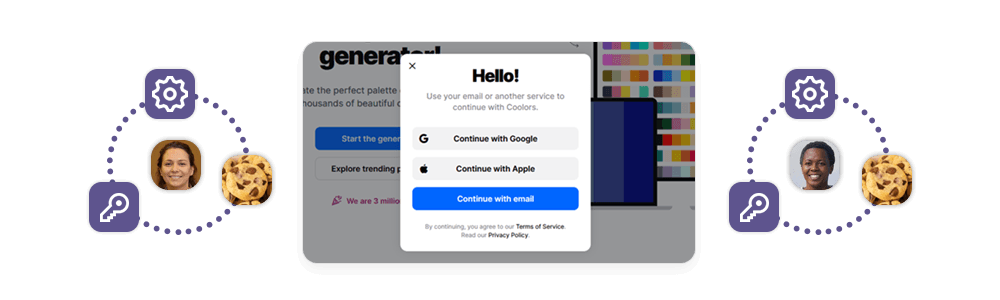
You can practice maintaining a session across multiple requests, submitting login forms, preserving cookies, and handling token-based form protection. These skills are important for understanding web mechanics, even if they should be applied carefully and only where access is authorized.
For production workflows, this knowledge helps developers understand why requests may fail, why a scraper may lose access to a page, or why the same URL returns different content across different sessions.
Error Handling, Retries, and Response Validation
A scraper is not production-ready just because it works once. Test services that return different HTTP status codes, redirects, delays, headers, or failed responses help you practice the reliability layer behind scraping.
This includes handling timeouts, retrying failed requests, detecting empty or incomplete responses, respecting rate limits, and validating whether the extracted data looks correct. For example, if a product page returns successfully but contains no product title, your scraper should detect the problem instead of silently saving bad data.
Data Cleaning and Output Formatting
Scraping test sites also help you practice what happens after extraction. Raw scraped data often needs to be cleaned, normalized, deduplicated, and converted into a format that other systems can use.
You can practice removing extra whitespace, converting prices into numbers, standardizing dates, splitting fields, validating URLs, and exporting data to CSV, JSON, XLSX, or a database. This step is easy to overlook, but it often determines whether scraped data is actually useful.
Common Mistakes When Practicing Web Scraping
Web scraping test sites are designed to be beginner-friendly, but they can still lead to bad habits if you only focus on getting a script to work once. The goal is not just to extract data from a page – it is to build a workflow that is accurate, stable, and easy to adapt when the target structure changes.
Starting with Complex Websites Too Early
One of the most common mistakes is jumping straight into dynamic, JavaScript-heavy websites before learning the basics. If you are still getting comfortable with HTML structure, selectors, pagination, and request handling, a complex page can make debugging much harder.
It is better to start with static pages, then gradually move to tables, forms, pagination, AJAX, infinite scroll, login flows, and API responses. This step-by-step approach makes it easier to understand what is failing: the request, the selector, the rendering layer, the session, or the parsing logic.
Not Checking Data Quality
A successful request does not always mean successful extraction. A scraper might return a 200 status code but still extract empty fields, partial content, placeholder text, or duplicate rows.
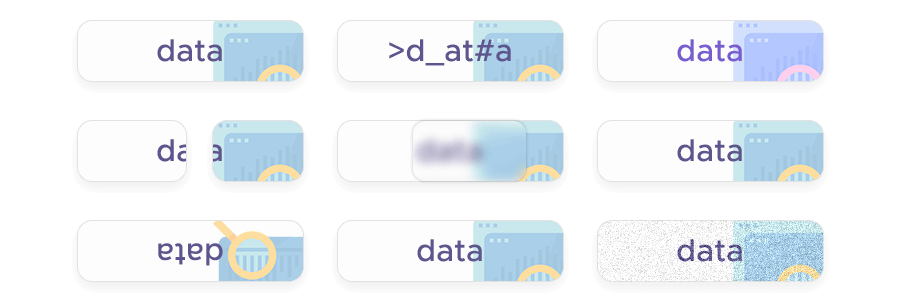
When practicing, add basic validation checks. For example, confirm that product names are not empty, prices follow the expected format, URLs are valid, and the final record count matches what the page suggests. This turns scraping from “the script ran” into “the data is usable.”
Relying on Fragile Selectors
A scraper may work during a test run but break as soon as the page structure changes. This often happens when the scraper uses overly specific selectors, deeply nested paths, or auto-generated class names.
For example, a selector that depends on the exact order of multiple nested <div> elements is usually less stable than one based on a meaningful class, attribute, heading, or repeated content pattern. When practicing, it is worth testing whether your selector would still work if the page gained a new banner, product card, or wrapper element.
Ignoring Pagination and Duplicate Records
Many beginners successfully scrape the first page, then overlook the logic needed to move through the full dataset. Others follow pagination but accidentally collect duplicate records, skip pages, or continue crawling after the last page.
Good practice means checking how pagination works, whether next-page links are consistent, whether URLs use page numbers or query parameters, and whether each extracted record has a unique identifier. Even on test sites, this helps build the habits needed for larger product catalogs, search results, directories, and listing pages.
Treating JavaScript Pages Like Static HTML
Another frequent mistake is assuming that all content is available in the first HTML response. On modern websites, important data may load through JavaScript, background API requests, or user-triggered actions such as scrolling and clicking a “load more” button.
If your scraper cannot find content that is visible in the browser, inspect how the page loads it. The solution might be browser rendering, an AJAX request, an embedded JSON object, or a separate API response. Practice sites with dynamic content are useful because they help you learn this distinction in a controlled setting.
Overlooking HTTP Errors and Edge Cases
A scraper needs to handle more than successful responses. Redirects, timeouts, 404 pages, 500 errors, delays, empty responses, and unexpected headers can all affect extraction.
This is why HTTP-focused test services are useful. They let you practice retry logic, timeout handling, status-code checks, and response validation before these issues appear in production. Without this layer, a scraper may silently fail or save incomplete data.
Hardcoding Too Much Logic
Hardcoding can make a practice scraper work quickly, but it often makes the workflow difficult to reuse. Examples include fixed page counts, fixed category URLs, fixed output fields, or assumptions that every product page has the same structure.
Instead, practice writing scrapers that discover links, follow page structure, handle optional fields, and fail gracefully when expected data is missing. This makes the scraper easier to adapt when the task changes.
From Practice Scrapers to Production Data Collection
Real websites can change layouts without notice, load content through JavaScript, return inconsistent responses, or require more robust retry logic. A scraper that works well in a test environment may still need additional infrastructure before it can support recurring business workflows.
That is where a managed Web Scraper API can help. Instead of maintaining browser rendering, proxy infrastructure, retries, and output formatting in-house, teams can focus on the data they need and how they want to use it. Infatica Web Scraper API is built for public web data workflows where reliability, scale, and structured delivery matter.
Frequently Asked Questions
A web scraping test site is a safe practice environment designed for testing scrapers. It usually contains sample data, predictable page structures, pagination, tables, forms, APIs, or JavaScript features that help developers practice extraction skills.
Popular web scraping practice sites include Books to Scrape, Quotes to Scrape, Scrape This Site, WebScraper.io Test Sites, ScrapingCourse.com, web-scraping.dev, HTTPBin, DummyJSON, and JSONPlaceholder. Each one helps practice different scraping skills.
Yes. Beginner-friendly test sites are ideal for learning HTML parsing, CSS selectors, XPath, pagination, and simple data extraction. Once the basics are clear, learners can move to JavaScript, AJAX, APIs, login flows, and error handling.
Test sites are designed for safe experimentation, so you can practice without unclear permissions, sensitive data, or unpredictable production systems. They help you build scraping logic before moving to real-world public web data workflows.
A Web Scraper API becomes useful when scraping needs to run regularly, handle JavaScript-heavy pages, manage retries, use proxy infrastructure, and deliver structured outputs. Practice scripts teach the basics; managed APIs support production data collection.