Article content

Pavlo Zinkovski
5 min read
If you buy residential proxies, the NetNut takedown is worth understanding as a supply-chain risk. The incident showed how quickly proxy infrastructure can become unavailable, scrutinized, or difficult to defend when sourcing is unclear. This guide explains what happened, why buyers may be affected, and what to check next.
What happened to NetNut?
On July 2, 2026, Google and the FBI disrupted NetNut, one of the world’s largest residential proxy networks, which Google says ran on ~2M compromised devices such as smart TVs and streaming boxes. The FBI seized its domains; Google cut off the accounts and services it relied on. This takedown matters for a reason most of the coverage skips: you can be affected even if you’ve never heard of NetNut.
How the network was built
According to Google, NetNut was built by distributing software development kits, or SDKs, across home devices (smart TVs, streaming boxes) and apps. Google Threat Intelligence Group estimated the network at at least 2 million devices worldwide, with those devices acting as exit nodes for residential proxy traffic.
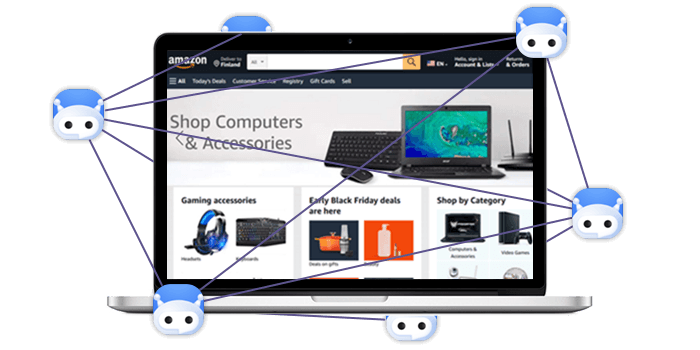
In practice, that meant traffic sold through the proxy network could be routed through ordinary consumer internet connections. Google said home devices can become part of these networks either through malware preinstalled before purchase or through applications that contain hidden proxy code.
Why this matters if you buy residential proxies
Direct exposure: shared IP reputation becomes your problem. In a single week in June 2026, Google counted 316 distinct threat clusters using suspected NetNut exit nodes for password-spray attacks, credential stuffing, advertising fraud, and sensitive data scraping. If legitimate business traffic shares IP addresses with that kind of activity, those IPs can become more likely to trigger blocks, reviews, or failed requests. The result can be lower success rates, more retries, and more questions from internal security or compliance teams.
Hidden exposure: your provider may not be the real upstream. When a proxy network is degraded, seized, or placed under investigation, the customer impact can show up quickly: broken jobs, missing coverage, endpoint changes, authentication updates, emergency migration work, and contract reviews. Even if your own use case is legitimate, your workflows still depend on the provider’s sourcing, abuse controls, and operational stability.
You might be using NetNut without knowing it
Google said NetNut had a reseller program that allowed other brands to white-label its network, and said it had high confidence that many popular residential proxy brands were white-labeling NetNut supply. In practice, that means the provider you pay and the network your traffic actually uses may not be the same company.
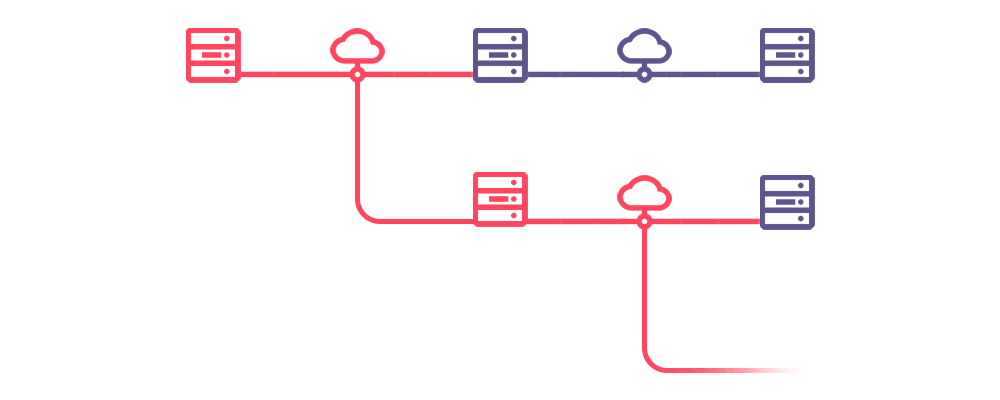
Reselling is not automatically a red flag. Many infrastructure markets have reseller and partner models. The problem is undisclosed or unclear upstream supply. A reseller can have its own website, pricing, dashboard, support team, and brand name while routing customer traffic through a third-party residential proxy pool.
For buyers, the question is simple: “Do you operate the residential network yourself, or do you resell someone else’s capacity?” A strong provider should answer clearly, document its sourcing model, and explain whether any upstream suppliers are involved. A weak answer sounds vague: “We use a premium global pool,” “our partners provide coverage,” or “we cannot disclose our sources.”
The NetNut takedown made that distinction harder to ignore. If your provider depends on an upstream network that gets degraded, seized, or placed under scrutiny, your workflows may be affected even if your contract is with a different company.
What to do now: vet your provider’s sourcing; weigh alternatives
If you used NetNut directly, or if you suspect your provider may have relied on NetNut supply, start with business continuity. Stop routing production traffic through any affected endpoints, check whether your data jobs are failing or returning lower-quality results, and document what changed. If your team needs to migrate quickly, keep a record of current proxy settings, authentication methods, target locations, session rules, and any workflows that depend on them.
Next, preserve the commercial and technical records you may need later. Save invoices, contracts, account balances, support conversations, endpoint lists, and usage reports. This is especially important if you had prepaid traffic, reseller commitments, or customer-facing services built on top of the affected provider. The goal is not to assume the worst. It is to make sure your procurement, finance, legal, or security teams have the information they need if questions come up.
Then, review replacement options with sourcing at the top of the checklist. Ask where the residential IPs come from, how users consent, whether upstream suppliers are involved, and how customers are verified before access. A credible provider should be able to explain its sourcing model, KYC process, abuse controls, and compliance documentation in writing.
For a more detailed review process, use our full checklist on how to vet a residential proxy provider. It covers sourcing and consent, compliance and KYC, IP quality, targeting controls, support, uptime, and pricing terms.
If this has you double-checking where your proxies come from, that is the right instinct. Infatica publishes its sourcing, certifications, and KYC policy in one place, and if you are weighing a move, here is how it compares as a NetNut alternative.
Frequently Asked Questions
On July 2, 2026, Google, the FBI, and partners including Lumen disrupted NetNut, a residential proxy network researchers estimate ran on about 2 million hijacked home devices. The FBI seized its domains and Google disabled the infrastructure and apps behind it. NetNut is operated by Alarum Technologies, a Nasdaq-listed company, which said it takes the matter seriously and will cooperate with law enforcement.
Yes: residential proxies aren’t illegal, and ethically sourced ones remain safe to use. The NetNut problem was how the network was built (hijacked devices) and how it was abused, not residential proxies as a category. The fix is choosing a provider that sources through genuine consent and can document it.
Ask directly whether they own their network or resell/whitelabel someone else’s, and request sourcing documentation. Google flagged that many independent-looking brands whitelabel the same pool, so a provider that won’t say where its IPs come from is a red flag.