Article content


Vlad Khrinenko
11 min read
When agents need to access fresh public web data across different regions, sessions, and websites, the quality of the proxy infrastructure behind them becomes critical. In this article, we’ll explain how proxies support AI-agent workflows, which proxy types fit different use cases, and what teams should look for when building scalable, compliant web data pipelines.
What Are AI Agents?
AI agents are software systems that can work toward a goal with a certain level of autonomy. Instead of simply answering a single prompt, an AI agent can break a task into steps, use tools, interact with websites or applications, collect information, and return a result.
For example, a chatbot can answer a question like “What's the best price/quality combo in sneakers?” based on available context. An AI agent, on the other hand, could search multiple sneaker platforms, compare prices across locations, check availability, organize the results, and produce a short report.
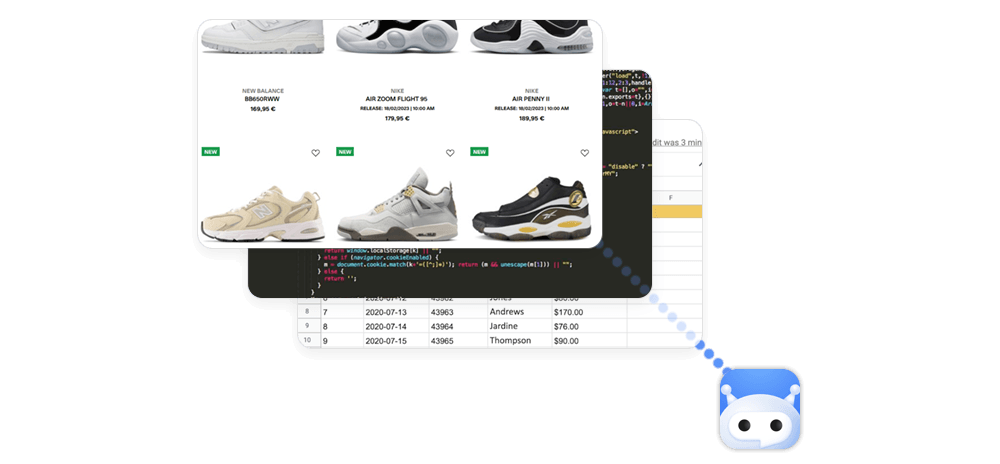
In practice, most AI agents combine several components:
- A language model that understands the task and decides what to do next.
- Tools or APIs that let the agent search, browse, calculate, extract data, or trigger actions.
- Memory or context that helps the agent keep track of previous steps.
- Rules and safeguards that define what the agent is allowed to access or do.
This makes AI agents useful for workflows that require more than one isolated answer. They can support research, price monitoring, lead enrichment, SEO analysis, competitive intelligence, travel data collection, product comparison, and other tasks where fresh web data matters.
However, AI agents are only as effective as the infrastructure around them. If an agent needs to collect public web data, compare localized results, or run many tasks in parallel, it needs reliable access to the web. That is where proxies, scraping APIs, browser automation, and data delivery systems become important parts of the AI-agent stack.
How Proxies Work in AI-Agent Workflows
AI agents often need to interact with the web to complete a task. Depending on the workflow, this can mean opening pages, sending requests, comparing search results, collecting product information, checking prices, or extracting structured data from public websites.
A proxy acts as the network layer between the AI agent and the target website. Instead of connecting directly from one server or device, the agent’s requests are routed through a proxy IP. This allows the workflow to use a specific IP type, location, or session setup depending on the task.
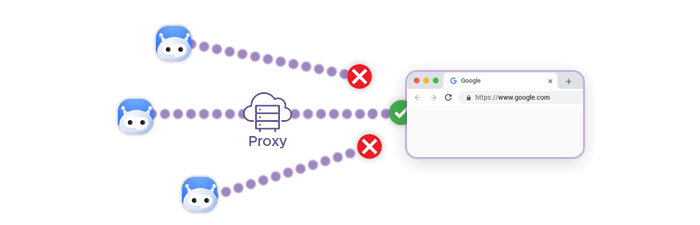
A simplified workflow looks like this:
💡
AI agent → Browser, scraper, or API → Proxy network → Target website → Web data → Agent output
For example, an AI agent built for price monitoring may receive a task such as “Compare product prices across three countries.” The agent can use proxies to send requests from different geographic locations, collect localized page content, and organize the results into a comparison table. Without location-aware access, the agent may only see prices, availability, or search results from one default region.
Proxies are also useful when an agent needs to run many tasks in parallel. Instead of sending every request from the same IP address, the workflow can distribute requests across a proxy pool. This helps teams build more stable data collection pipelines, especially when agents need to monitor many pages, keywords, products, or markets at once.
Another important feature is session control. Some AI-agent workflows only need a new IP for each request, while others need the same IP for several minutes to complete a multi-step process. For example, an agent checking a travel booking flow may need to search, open a hotel page, adjust dates, and compare room options within the same session. Sticky sessions help keep that workflow consistent.
In production environments, proxies are often combined with other tools, such as browser automation, scraping APIs, JavaScript rendering, retry logic, and data parsing. The AI agent decides what needs to be done, while the web access infrastructure handles the practical work of reaching pages, maintaining sessions, managing geolocation, and returning usable data.
Types of Proxies for AI Agents
| Proxy type | Best for AI-agent workflows that need... | Common use cases | Key advantages | What to consider |
|---|---|---|---|---|
| Residential proxies | Access to public web data through real residential IPs across many locations | Localized SERP monitoring, e-commerce price tracking, travel data collection, market research, ad verification | Strong geo-targeting, broad location coverage, and reliable regional context for public web data workflows | Usually more expensive than datacenter proxies, so they are best used when residential IP context is important |
| Shared datacenter proxies | Fast, cost-efficient access for general automation and high-volume requests | Large-scale crawling, QA checks, data collection from less restrictive sources, internal agent testing | High speed, lower cost, and easy scaling for parallel AI-agent tasks | Shared IPs may be less suitable for sensitive workflows that require predictable reputation or exclusive use |
| Dedicated datacenter proxies | Exclusive IP access with predictable performance | Production monitoring, repeatable data collection, high-throughput agent workflows, infrastructure testing | Fast, stable, cost-efficient, and not shared with other customers | They offer less natural network context than residential or mobile proxies, so they may not fit every localized workflow |
| Static ISP proxies | Stable sessions with ISP-associated IPs | Multi-step browsing workflows, account-based first-party automation, longer-running agent tasks, recurring monitoring | Strong session consistency with ISP-level network context | Best for workflows where keeping the same IP matters more than frequent rotation |
| Residential IPv6 proxies | Scalable workflows on websites and services that support IPv6 | High-volume data collection, IPv6 compatibility testing, localized monitoring, large agent task queues | Large address availability, modern network compatibility, and useful scalability for supported workflows | Not every website or target environment handles IPv6 equally, so teams should test compatibility first |
| Mobile proxies | Mobile-specific web views, search results, ads, and app-like browsing experiences | Mobile SERP tracking, mobile ad verification, mobile pricing checks, app/web QA, localized mobile content monitoring | Helps agents view web experiences from mobile network contexts | Typically more expensive and best reserved for workflows where mobile context is required |
Proxy Features AI-Agent Teams Should Look For
AI agents depend on more than model quality. When an agent needs to search, browse, compare, or extract public web data, the reliability of the proxy infrastructure directly affects the quality of the final output. A slow, unstable, or poorly matched proxy setup can lead to incomplete data, failed workflows, inconsistent results, and unnecessary engineering work.
Geo-Targeting Options
Many web-based AI-agent workflows depend on location-specific data. Search results, product prices, travel offers, ad placements, stock availability, and website content can vary by country, city, ZIP code, ISP, or device context.
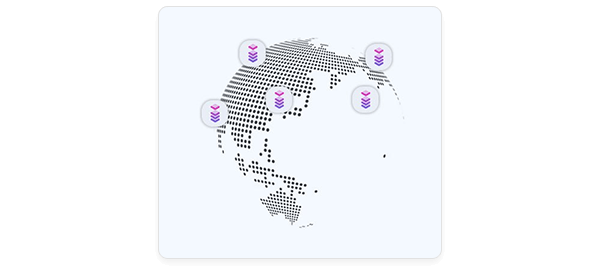
In some scenarios, an AI agent monitoring hotel prices may need to compare results from users in Germany, the United States, and Spain. An SEO agent may need to check how search results differ across cities or regions. Without accurate geo-targeting, the agent may collect data that does not match the market it is supposed to analyze.
Look for proxy providers that support precise location targeting and make it easy to select regions programmatically.
Speed and Uptime
AI agents often run multi-step tasks where one failed request can break the entire workflow. Slow response times can also increase costs, especially when agents use browser automation, rendering, retries, or large task queues.
For production use, proxy infrastructure should provide stable uptime, fast response times, and consistent performance across target regions. This is especially important for workflows such as price monitoring, SERP tracking, ad verification, and market research, where agents may need to run on a schedule and deliver results within a predictable time window.
Rotation and Sticky Sessions
Not every AI-agent task uses proxies in the same way. Some workflows need frequent IP rotation to distribute requests across a proxy pool. Others need the same IP address for a short period to complete a multi-step browsing flow.
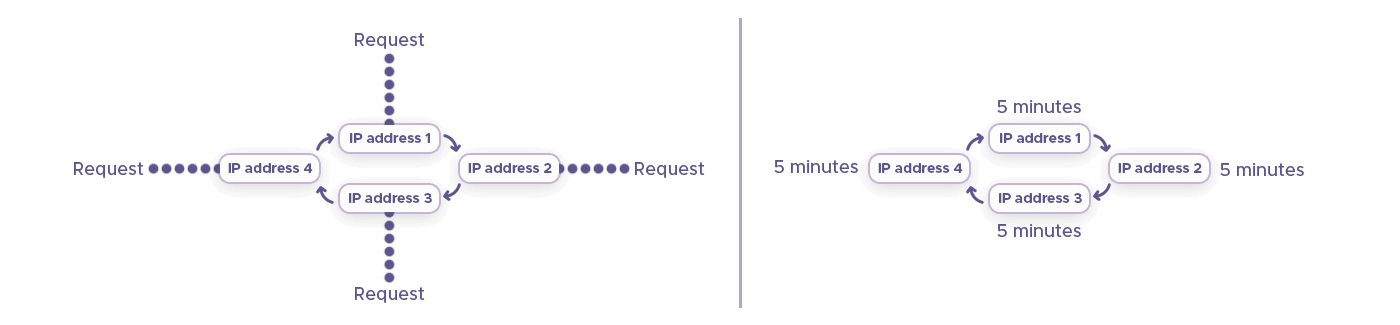
An agent that checks hundreds of product pages may benefit from rotating IPs across requests. An agent that opens a travel booking page, selects dates, compares room options, and moves through several pages may need a sticky session to keep the browsing context stable.
A strong proxy setup should support both rotation and session control, so teams can match proxy behavior to the workflow instead of forcing every agent to use the same connection pattern.
Concurrent Request Support
AI-agent systems are often designed to run many tasks in parallel. A single agent may monitor hundreds of keywords, check thousands of product pages, or compare listings across multiple countries and platforms.
This makes concurrency an important factor. Teams should look for proxy infrastructure that can support parallel requests without frequent failures, bottlenecks, or manual configuration issues. The proxy setup should scale with the number of agent tasks, not become the limiting part of the workflow.
API and Automation Compatibility
Most AI-agent workflows are not managed manually. They run through APIs, browser automation tools, scraping frameworks, data pipelines, or internal orchestration systems. Proxy infrastructure should be easy to integrate into these environments.
Look for support for common authentication methods, clear documentation, predictable endpoints, and compatibility with tools used for browser-based or request-based automation. The easier the proxy layer is to integrate, the faster teams can move from prototype to production.
Monitoring and Failover
AI agents need feedback loops. If a request fails, slows down, or returns incomplete data, the system should be able to retry, switch IPs, or move the task to a different route. Without monitoring and failover, teams may not notice issues until the agent has already produced unreliable results.
For production workflows, proxy infrastructure should support visibility into connection performance, error rates, traffic usage, and session behavior. This helps teams debug agent workflows, optimize costs, and maintain data quality over time.
Compliance and Ethical Sourcing
AI-agent workflows can raise important questions around data access, privacy, and responsible automation. Proxy infrastructure should not be evaluated only by speed or pool size. Teams also need to understand how the network is sourced, how customers are verified, and what policies govern acceptable use.
For business use, this is especially important. A compliance-first proxy provider can help teams build AI-agent workflows around responsible public web data collection, clear usage boundaries, and stronger governance.
The best proxy setup for AI agents combines technical reliability with responsible infrastructure. Geo-targeting, rotation, session control, speed, concurrency, proxy type flexibility, and compliance all work together to help agents access public web data accurately and consistently.
Best Practices for Using Proxies with AI Agents
Proxies can make AI-agent workflows more reliable, scalable, and location-aware – but they should be used carefully:
Use Proxies for Legitimate Public Web Data Workflows
Proxies should support responsible access to public web data, not attempts to access private, restricted, or unauthorized content. Before deploying an AI agent, define which websites, data types, and actions are allowed.
For example, an agent used for price monitoring, SERP tracking, ad verification, or market research should only collect data that the business is permitted to access. If a workflow involves accounts, payments, personal data, or user-specific information, it should go through additional legal, security, and compliance review.
Use Rotation and Sticky Sessions Intentionally
AI agents may need different session behavior depending on the task. For simple page checks or large-scale monitoring, rotating IPs across requests can help distribute traffic across the proxy pool. For multi-step workflows, sticky sessions may be more appropriate because the agent needs a stable browsing context.
An agent that checks hundreds of product pages may use rotating sessions. An agent that compares hotel availability across several steps – search, filter, open listing, check room options – may need the same IP for a short period. Session logic should be designed around the workflow, not added as an afterthought.
Set Clear Rate Limits and Retry Rules
AI agents can run tasks faster than a human operator, which makes rate control important. Without limits, an agent may send too many requests, repeat failed actions, or create unnecessary load on target websites.

Set reasonable request rates, retry limits, timeout rules, and backoff logic. If a page fails, the agent should not retry indefinitely. It should follow a controlled process: wait, retry with adjusted settings, switch routes if needed, or mark the task for review. This helps improve reliability while keeping automation predictable and responsible.
Monitor Agent Behavior and Proxy Performance
Production AI-agent workflows should be monitored continuously. Teams need visibility into proxy response times, failed requests, session behavior, traffic usage, data quality, and agent decisions.
This is especially important because agent failures are not always obvious. A workflow may complete successfully but still return incomplete, duplicated, outdated, or location-mismatched data. Monitoring helps teams identify when the issue comes from the proxy layer, the target website, the scraping logic, or the agent’s reasoning.
Protect Credentials and Internal Systems
If an AI agent uses proxies together with APIs, browser automation, or internal tools, access control becomes important. Store credentials securely, avoid exposing proxy usernames and passwords in prompts or logs, and limit what each agent can access.
Teams should also separate development, testing, and production environments. This makes it easier to debug workflows safely and prevents experimental agents from affecting live systems.
Validate the Data Before Using It
Proxies help agents access web data, but they do not guarantee that the collected data is complete, accurate, or ready for business use. AI-agent outputs should be validated before they are used downstream.
Validation can include checking timestamps, detecting duplicates, comparing results across locations, confirming that pages were rendered correctly, and flagging unusual changes. For structured outputs, teams should also check whether required fields are present and formatted consistently.
How Infatica Supports AI-Agent Web Data Workflows
AI agents need reliable access to fresh public web data, and Infatica provides the proxy and scraping infrastructure to support that access at scale. With residential, datacenter, static ISP, residential IPv6, and mobile proxies – plus Web Scraper API for managed data collection – teams can match each workflow to the right level of speed, location coverage, session control, and automation support.
Whether you’re building agents for SERP tracking, e-commerce intelligence, travel data collection, ad verification, or market research, Infatica helps turn AI-agent experiments into production-ready public web data workflows.
Frequently Asked Questions
AI agents use proxies when they need reliable access to public web data across different locations, sessions, and websites. Proxies help route requests through selected IP types, supporting localized results, scalable data collection, and more stable automation workflows.
The best proxy type depends on the workflow. Residential proxies are useful for localized web data, datacenter proxies fit high-volume tasks, static ISP proxies support stable sessions, and mobile proxies help agents access mobile-specific content.
Sticky sessions let an AI agent keep the same IP address for a set period. This is useful for multi-step workflows, such as opening a page, applying filters, checking details, and collecting results within one consistent session.
Yes. Proxies can route requests through specific countries, cities, or network contexts, helping AI agents collect location-specific search results. This is useful for SERP tracking, SEO research, ad verification, travel monitoring, and market analysis.
Proxies provide the network layer for routing requests, while a Web Scraper API can handle proxy management, JavaScript rendering, retries, and data delivery. Teams often use proxies for control and scraper APIs for faster deployment.